
💡 Journey to the World of Remote Collaboration in UI/UX Design: Why It’s More Important Now Than Ever?

# Well, there was a time when we all sat around a big table, with paper and markers in hand, brainstorming with great enthusiasm. The world of UI/UX design was quite different then, wasn’t it? Everything was in-person, and communication was instant. But now? With the expansion of remote work and teams separated by thousands of miles, those old methods no longer work. You simply can’t expect a design team, each member in a different city or even country, to achieve results with the same old approach. These days, remote collaboration is no longer an option, but a necessity for many businesses, especially those like Rasavob Afarin that operate in digital marketing and web development. This shift demands new tools and approaches that can recreate that sense of closeness and interaction, even from behind a screen.
To be honest, when it comes to user interface and user experience design, interaction and brainstorming come first. A UI/UX designer must be able to convey ideas clearly, receive feedback, and implement changes very quickly. This was easier in an in-person environment, but what about remotely? The challenges are numerous; from time differences to internet issues and the lack of face-to-face communication, which sometimes creates misunderstandings. But the good news is that technology hasn’t stood still, and many cool new tools have emerged to bridge this gap. These tools help UI/UX design teams work on a project simultaneously, share their opinions, and even conduct user tests remotely. You know, it’s as if everyone is sitting in one room, but each is behind their own system, at home or wherever they are most comfortable.
The main goal of these tools is to increase efficiency and make distance meaningless. For example, a designer in Tehran can work on the same shared file with a designer in Shiraz or even Vancouver, leave comments, and see changes. This means greater speed, better coordination, and ultimately a higher quality output. For companies like Rasavob Afarin, who well understand the importance of website and application design, choosing the right tools for their design teams is crucial. Because strong UX/UI directly impacts SEO, conversion rates, and ultimately the success of marketing campaigns. So, let’s take a deeper look at these new tools and see how they can revolutionize the way remote UI/UX design teams work.
🔗 Core Infrastructure: Communication and Project Management Tools for Remote UI/UX Teams
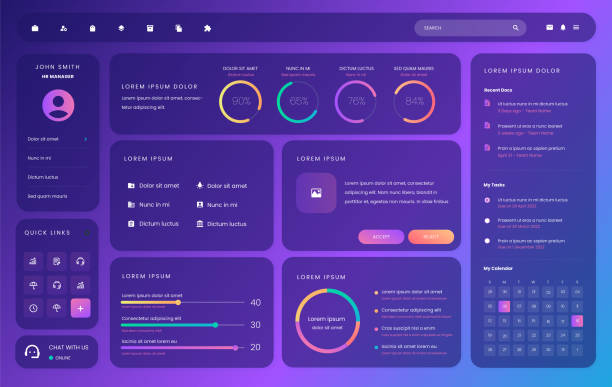
Sometimes people think remote collaboration just means opening design software and that’s it. But no, it’s more complicated than that. The foundation of any successful team, especially a remote UI/UX design team, is communication and project management. Without a strong platform for these two, even the best design tools are useless. It’s like wanting to go drag racing with a car, but the road isn’t paved! This is where communication tools and project management platforms come in to keep everyone on track.
First of all, consider communication tools. Slack, for example, is no longer just a regular chat. It has different channels for each project or topic, you can share files, make voice and video calls, and even integrate it with many other applications like design tools or project management. Or Microsoft Teams, which is an excellent option for companies using the Microsoft ecosystem. Video meetings, group chat, file sharing, and many other features. These tools largely simulate the feeling of being in a real office, although they don’t replace face-to-face conversation, they are the best available option. For Rasavob Afarin’s UI/UX design teams, who may work on various projects such as advertising campaigns or website development, having an integrated communication platform is essential.
Now let’s move on to project management. You know Trello, right? With its colorful cards and Kanban board, it’s great for tracking tasks. You can turn each task into a card, assign a deadline, specify members, and see where each stage of user interface design stands. Asana is another powerful tool that might be more suitable for larger teams and more complex projects. It has Gantt charts, task lists, and good reporting capabilities to understand how far the user experience design team has progressed. And Jira is simply outstanding for agile and Scrum teams, especially in software development and design. These tools aren’t just for task management; they provide a comprehensive overview of project progress to all members and stakeholders, increasing transparency. This means every UI/UX designer knows exactly what they need to do, what their deadline is, and how their work aligns with the rest of the team. This way, it’s less likely that tasks get stuck in user interface design phases or that anyone remains unaware of the overall project progress. They are truly useful, believe me.
Is your website design capable of attracting and retaining customers? Rasavob Afarin strengthens your brand’s digital identity by designing and developing modern and user-friendly websites.
✅ Beautiful user interface and smooth user experience
✅ Responsive website compatible with all devices
✅ Increased conversion rates and visitor retention
For more information, contact Rasavob Afarin today: 09124438174.
✍️ Live Collaboration in Design: Figma, Host of Seamless UI/UX Interactions
Well, we’ve reached where the magic happens, which is live collaboration in design. This is where specialized design tools come into play and take the work for remote UI/UX design teams to the next level. In this section, we must talk about Figma, without a doubt. Figma has truly revolutionized the world of design, especially for remote teams. Before Figma, working on a shared design file was a nightmare; dozens of file versions with different names like `final_v2_edit_ali_really_final.sketch`! Heaven forbid if one of the files got lost or was accidentally saved incorrectly, then it was chaos. But Figma has solved this problem by providing a completely cloud-based platform for UI/UX design.
With Figma, several people can work on a UI/UX design project simultaneously. Anyone who opens the file can see where others’ cursors are, what they are doing on the page, and what elements they are changing. This truly brings the sense of teamwork to life. You can leave comments instantly, suggest changes, and receive feedback. This feature is especially fantastic for brainstorming sessions or design reviews. There’s no longer a need to wait for hours for someone to send you a file, apply changes, and send it back. Everything happens in real-time. For a team like Rasavob Afarin, which works on website and application design for various clients, speed and accuracy at this stage are crucial. Figma helps these processes move faster and without friction.
Apart from Figma, there are also tools like Miro and Mural, which are called digital whiteboards. These tools are excellent for brainstorming, User Journey Mapping, creating initial wireframes, or even conducting remote Scrum meetings. You can place virtual sticky notes, draw shapes, upload images, and collaborate with the rest of the team. These tools make the user experience design process much more flexible and creative, even when the team works remotely. In fact, these are like the big whiteboards we used to have in conference rooms, only this time they’re digital and accessible to everyone, wherever they may be. It really makes you think how much the world of design has advanced, doesn’t it?

Click here to preview your posts with PRO themes ››
| Tool | Primary Use for Remote UI/UX | Key Features |
|---|---|---|
| Figma | Collaborative UI Design, Prototyping | Real-time Collaboration, Cloud Versioning, Commenting |
| Miro | Digital Whiteboard, Brainstorming, Ideation | Mapping, Virtual Sticky Notes, Drawing Tools |
| Adobe XD | UI Design, Prototyping | Integration with Adobe Ecosystem, Commenting |
| Sketch | UI Design (Mac-only) | Numerous Plugins, Component Management |
🧪 Remote Prototyping and Testing: Ensuring a Flawless User Experience
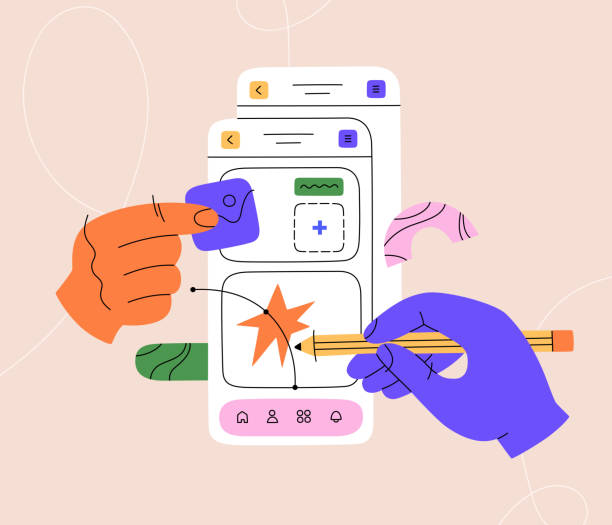
Well, once the design and ideation are done, it’s time for the crucial stage of prototyping and testing. This stage is really important because it determines whether those beautiful ideas that took shape in the minds of UI/UX designers actually work in the real world and for the end-user. And of course, when the team works remotely, this stage also has its unique challenges. How can a prototype be shown to users to get real feedback without needing an in-person meeting? Fortunately, there are some excellent tools for this.
Figma is here to help again. Figma is not only a powerful design tool but also has excellent prototyping capabilities. You can easily connect pages, add simple animations, and create an interactive prototype that works exactly like the final product. Then you can share the prototype link with clients or even testing users, and they can test the prototype in their browser and provide feedback without needing to install any software. Adobe XD is also very strong in this area and offers a similar experience, especially for those in the Adobe ecosystem.
But simply creating a prototype isn’t enough; it also needs to be tested. This is where tools like Maze or Usertesting.com come into play. These tools allow you to conduct user tests remotely and automatically. You can define tasks for users, such as ‘find this button’ or ‘try to fill out this form.’ Then the tool records user activity, including their clicks, mouse movements, and even their voice as they think aloud. Afterward, you can analyze where users encountered problems and why. This means the user experience design team can identify design weaknesses and take action to improve them, even without physical presence.
These tools are a treasure for companies like Rasavob Afarin, who are always looking to improve the user experience and user interface of their clients’ websites and applications. Because good UI/UX design leads to greater customer satisfaction and ultimately higher conversion rates. With these methods, the design team can ensure that the final product is not only beautiful but also functional and understandable, even if its design and testing process was conducted entirely remotely. What an exciting time for UI/UX design, isn’t it?
🔄 Version Management and Design Handoff: Seamless Transition from Design to Development
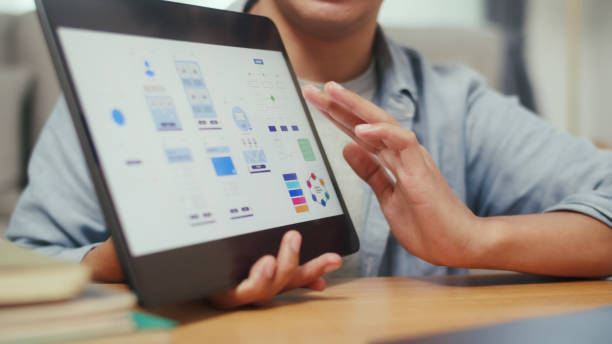
Well, every designer has had the experience of working on a design for hours, then accidentally saving an old version or not even realizing which file is the latest. Now, consider this problem in a remote team where several people are working on a UI/UX design project. It turns into a nightmare! Version management is one of those challenges that, if not solved, can disrupt the entire project and waste a lot of team time. This is where version control and design handoff tools enter the scene like a hero.
Figma again has something to say here. Figma automatically saves different design versions and allows you to easily switch between older versions and even compare two versions side-by-side. This feature is truly a lifesaver, especially when multiple people are working on a single file. There’s no longer a need to manually save files with strange names. But for teams that use other design tools like Sketch or Adobe XD, there are tools like Abstract or InVision DSM. These tools are like Git for coding, but for design files. They allow the team to create different branches for design, merge changes, and see a complete history of modifications.
After the user interface design is finalized, it’s time to hand off the design to the development team. This stage has its own story. The developer needs precise information; sizes, colors, fonts, spacing, and many other details. Simply sending a JPEG or PNG file that lacks sufficient information only leads to misunderstandings and delays. Tools like Zeplin, InVision Inspect, or even Figma’s own Inspect feature significantly streamline this process. These tools convert the design into CSS, Swift, or XML code that developers can use directly. Furthermore, they can turn design elements into reusable components, which is especially useful for Design Systems. For Rasavob Afarin, which is strong in both UX/UI design and website development, this integration between design and development is crucial for projects to proceed with high speed and quality. This is where you realize how much technology has made things easier.
Are you using the right keywords to attract traffic to your website? Rasavob Afarin identifies profitable keywords for your business with precise Google keyword research and improves your ranking.
✅ Increase targeted traffic
✅ Improve search engine rankings
✅ Better understanding of customer needs
To find your keyword treasure, call now!
🗣️ Feedback and Annotation Tools: Continuous Design Improvement Through Effective Communication

Honestly, one of the hardest parts of remote work is getting constructive and precise feedback from clients or team members. When you’re in person, you can point directly at the screen and say, “Look here, this button needs to move up a bit.” But what about remotely? Sending long emails with vague and confusing descriptions only wastes time and usually results in misunderstandings. This is where feedback and annotation tools become a real lifesaver for remote UI/UX design teams.
One of these fantastic tools is MarkUp.io. It’s very simple; you give it the link to any website, image, PDF, or even video, and it turns it into an interactive environment for feedback. You can place a pin anywhere on the page you want and write a comment right there. Or, for example, if you want to say that this part of the user experience design should be improved, you select that area and write your opinion. The client can easily log in, leave their comments, and you can see and manage all feedback in one place. This method makes design-related communications much clearer and more effective, and no one will say, “I meant the red button, not the green one next to it!”

Click here to preview your posts with PRO themes ››
InVision is another powerful tool that has been working in this field for a long time. In addition to prototyping, InVision Freehand is a digital whiteboard that allows you to brainstorm and add comments to designs. You can upload design files and then, on the same design, mark points and write feedback. You can even have a Presentation Mode and get live feedback from stakeholders. These tools are truly a blessing, especially for Rasavob Afarin, which is always involved in UI/UX design projects for various clients. This helps the feedback process, which was previously slow and full of ambiguity, become much faster and more accurate, ultimately leading to a better user experience. This means less time is spent on aimless back-and-forth, and more time can be dedicated to real design improvement. Working this way is truly enjoyable.
📦 Design Asset Management: Order in the Crowded World of UI/UX Elements
Have you ever looked for a specific icon or a new logo sent by a client and couldn’t remember where you saved it? Or worse, used an old version only to realize it was wrong? These are all time-consuming, and in a remote UI/UX design team, it can turn into a disaster. Design Asset Management is one of those issues that is often underestimated but plays a vital role in team efficiency and coordination. When each designer uses a different file or element, the final result can be a complete mess and severely degrade the user interface design quality.
Tools like Dropbox, Google Drive, or OneDrive are good general options for storing and sharing files. You can create shared folders, manage access, and ensure everyone has access to the latest file versions. But these are just cloud storage spaces. For more professional UI/UX design asset management, we need more specialized tools that can offer capabilities like tagging, advanced search, and file preview in addition to storage.
This is where tools like Speckdeck or even the use of design management systems like Adobe Experience Manager Assets come into play. These platforms allow you to keep all brand assets, from logos and fonts to icons and images, in one centralized place. You can tag each element, add descriptions, and even view different versions side-by-side. This means that every designer at Rasavob Afarin working on website design projects or advertising campaigns knows exactly which element to use and spends less time searching and organizing. These tools help all members of the UI/UX design team work with a consistent standard, ensuring the brand’s visual identity is maintained across all platforms. Order and discipline truly come first in remote work. Believe me, when everything is organized, working becomes enjoyable in a different way.
🔒 Security and Privacy: Protecting Data in Remote UI/UX Projects

No one wants their sensitive project information, or worse, their user data, to be leaked, right? In the world of remote work, where geographical boundaries blur, the discussion of data security and privacy gains double importance. For UI/UX design teams dealing with sensitive information such as user data, initial product designs, or even marketing strategies, this issue is vital. A small security mistake can be disastrous, from losing customer trust to heavy legal penalties. So, it simply cannot be ignored.
First and foremost, use tools that take security seriously. Platforms like Figma, Dropbox, or Google Drive typically have strong security layers; from data encryption to Two-Factor Authentication. But this is just the beginning. The UI/UX design team itself must also adhere to security protocols. For example, public Wi-Fi should never be used without a VPN. VPNs, or Virtual Private Networks, encrypt internet traffic and prevent malicious individuals from accessing information. Companies like Rasavob Afarin, which deal with client information and sensitive website and application design projects, must be very serious about these issues.
Another issue is access management. Not everyone on the team should have access to all files and information. Access levels should be determined based on roles (Role-Based Access Control). For example, a junior designer might not need access to all project financial data. Project management and file-sharing tools usually have the capability to precisely set access permissions. This not only enhances security but also prevents unintentional errors. Furthermore, educating the team about the importance of data privacy and security is crucial. Everyone needs to know what information they can share and what they cannot. This requires cultural change, not just tools. Finally, always backing up files, even if they are stored in the cloud, is a good idea. Because you can never trust technology 100 percent. These tips help UI/UX design projects at Rasavob Afarin proceed more confidently and maintain client trust. Security, as they say, is no laughing matter.
| Security Measure | Description | Importance for Remote UI/UX |
|---|---|---|
| Two-Factor Authentication (2FA) | Adding a security layer with a one-time code | Prevents unauthorized access to design tool accounts |
| Using VPN | Encrypting internet traffic and hiding IP | Protecting data on insecure public networks |
| Access Management (RBAC) | Defining user access levels based on roles | Limiting access to sensitive information and preventing leaks |
| Data Encryption | Converting data into an unreadable format | Protecting design and client information during transfer and storage |
| Team Training | Increasing team awareness about threats and best practices | Reducing human errors and enhancing security culture |
🤝 Beyond Tools: Fostering a Culture of Collaboration in Remote UI/UX Teams

Well, so far we’ve talked a lot about cool new tools that make remote UI/UX design work easier. But there’s a very important point: tools, no matter how advanced, are just a means to an end. What truly leads to the success of a remote team is a ‘culture of collaboration’ and ‘mutual trust.’ This is where the role of managers and leaders of UI/UX design teams becomes more prominent. If the team culture isn’t right, even the best tools won’t be able to do much, and the team might face problems.
Creating a sense of belonging and connection is very important for remote teams. When people don’t see each other, they might feel lonely or detached from the team. Here, simple but effective solutions can be used. For example, holding non-work-related video calls; a casual chat about the weekend or even a simple online game. These activities help user experience design team members move beyond being ‘just colleagues’ and feel closer to each other. Remember? That same feeling we had in the physical office, chatting during lunch or in the hallway.

Click here to preview your posts with PRO themes ››
Transparency and trust are also key pillars. The team manager must ensure that everyone knows the goals of the UI/UX design project, what each person’s responsibilities are, and how work is progressing. And more importantly, the team must be trusted. Remote work means ‘management based on results,’ not ‘management based on hours present.’ If a designer delivers their work with quality and on time, it doesn’t matter if they worked at 10 PM or 6 AM. This trust leads to increased motivation and productivity. For a company like Rasavob Afarin, which works on digital marketing services and website development, having a committed and motivated team connected by a strong work culture is a significant competitive advantage. This cultural fostering ultimately leads to more creative UI/UX designs and greater project success. Because when the team is happy, the final product also has a better feel, believe me.
Is your website traffic stagnant, and are you looking for a way to increase it? Rasavob Afarin, by combining website traffic growth strategies and advanced SEO, significantly boosts your organic traffic and transforms your sales.
✅ Precise analysis of current website status
✅ Comprehensive planning for traffic increase
✅ Improved ranking in search engines
To boost your website traffic, call now!
🚀 The Future of Remote UI/UX Collaboration: Augmented Reality and Artificial Intelligence
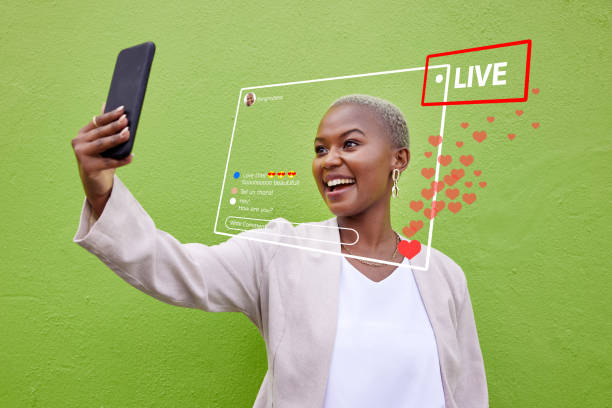
Honestly, do you think we’ve already learned all about UI/UX design collaboration tools and there’s nothing left? No way, we’re just getting started! Technology is advancing every day, and the future of remote collaboration, especially in the field of user interface and user experience design, is going to be much more exciting. Things that might seem like science fiction movies now will soon become everyday reality.
First of all, consider Augmented Reality (AR) and Virtual Reality (VR). Imagine UI/UX designers being able to sit side-by-side in a shared virtual room and work on a 3D design. They can rotate the design, scale it up and down, and feel like they are touching a real product. Or even test an application prototype directly on a virtual phone in an AR environment. This is a big step towards a more immersive UX. This way, the sense of distance truly disappears, and it can be said that the UI/UX design team is truly ‘together,’ even if they are thousands of miles apart.
Next, Artificial Intelligence (AI) comes into play. AI is already entering the world of design in various forms, but it will play a more prominent role in the future. For example, AI-powered design tools can offer suggestions for improving user interface design based on user preferences, behavioral patterns, and even data from user tests. Or they can even automatically optimize parts of the design based on user experience standards. Imagine a tool telling you, ‘This button is too small; based on data from millions of users, if it were larger, its click-through rate would increase.’ Or ‘There’s too much text here; let’s summarize it.’ This means designers have more time for ideation and solving complex problems, instead of spending their time on repetitive tasks.
For a company like Rasavob Afarin, which is always at the forefront of Artificial Intelligence and automation, this future is certainly exciting. Integrating AI with UI/UX design tools can boost efficiency unprecedentedly and optimize user experience design results. Overall, it can be said that the world of remote UI/UX design is becoming smarter and more interactive every day, and we just need to prepare ourselves for these big changes. It’s truly an interesting era for us designers, isn’t it?
| Question | Answer |
|---|---|
| What are the latest remote UI/UX design collaboration tools? | Tools such as Figma for collaborative design, Miro for digital whiteboarding, Maze for remote user testing, and Zeplin for design handoff to developers are among the latest and most widely used. |
| Why has remote collaboration become important in UI/UX design? | With the increase in geographically distributed teams and the need for agility in projects, remote collaboration has become essential for teams to work on projects with high speed and coordination. |
| What features does Figma offer for remote UI/UX collaboration? | Figma provides real-time collaboration, automatic cloud versioning, direct commenting on designs, and capabilities for remote prototyping and testing. |
| How can effective feedback be gathered on remote UI/UX designs? | Tools like MarkUp.io and InVision Freehand allow you to place pins and write precise comments on designs or prototypes, which makes communications clearer. |
| What is the importance of design asset management in a remote UI/UX team? | Proper management of assets (logos, icons, fonts) with tools like Dropbox or specialized DAM platforms prevents chaos, increases coordination, and boosts team workflow speed. |
| How is data security ensured in remote UI/UX projects? | Using secure tools with encryption and two-factor authentication, employing VPNs, precise access management (RBAC), and educating the team about security protocols are key principles. |
| How can a culture of collaboration be strengthened in a remote UI/UX team? | Holding non-work-related meetings, transparency in goals and tasks, trusting the team, and managing based on results help create a sense of belonging and increase motivation in remote teams. |
| What innovations will the future of remote UI/UX collaboration bring? | Augmented Reality (AR) and Virtual Reality (VR) for immersive collaboration and 3D design, and Artificial Intelligence (AI) for automating repetitive tasks and offering intelligent design suggestions, are among future innovations. |
| How does Rasavob Afarin leverage modern UI/UX tools for its clients? | Rasavob Afarin uses these tools to keep its design team agile and well-equipped to provide the best UI/UX design services with high speed and quality, aiming to increase SEO, conversion rates, and the success of its clients’ marketing campaigns. |
| Does using these tools require special experience? | Most of these tools have intuitive and user-friendly interfaces. While training and practical experience can be beneficial for leveraging advanced features, they are easily learnable with online tutorials and practice. |
And other services of Rasavob Ad Agency in the field of advertising
• Consulting on Niche Content Marketing
• Competitor analysis in PPC campaigns
• Management and optimization of local marketing budgets
• Planning for marketing during economic recession
• Designing and executing marketing campaigns for sustainable products
And over a hundred other services in the field of internet advertising, advertising consulting, and organizational solutions
Internet Advertising | Advertising Strategy | Advertorials
Make your financial decisions with confidence! Invest smartly with Rasavob Afarin’s precise reports. ✅ Smart Investment
✉️ info@idiads.com
📱 09124438174
📞 02126406207
Tehran, Mirdamad Street, next to Bank Markazi, Kazerun Jonubi Alley, Ramin Alley, No. 6





