
💡 Introduction: Why is UI/UX Design More Important Than Ever Today?

# Remember the old days? Back then, when a website or an app worked, well, its job was done. Nobody really paid attention to how easy it was to use or how good it made the user feel. But now? We live in a world where every business, from a small shop to a giant corporation, has some kind of digital presence. This is where the story of UI/UX design becomes paramount.
Look, user experience, or UX, is exactly the feeling a person gets when they interact with your product or service. A good feeling, ease, speed, everything! And user interface, or UI, is the visual aspect; where the buttons are, what the colors are like, what the font is… These two are like two sides of the same coin. Without good UI, UX falters, and vice versa. You really can’t sacrifice one for the other. Nowadays, people expect everything to be fantastic. If your website is slow, confusing, or not appealing, frankly, they’ll go to your competitor. It’s that simple. Nobody has the time or patience to deal with clunky things anymore.
Now, a question arises: with all this emphasis on quality, do businesses and freelance designers necessarily have to pay heavy costs for design tools? Or can great things be achieved with free tools? This article’s exact goal is to answer this question. We want to take a journey into the world of free online UI/UX design tools that not only cost nothing but sometimes perform on par with or even better than paid versions. These tools are an exceptional opportunity, especially for startups and businesses with limited budgets, or even designers who are new to this field and want to test their skills without initial investment. Stay with Rasaweb Afarin as we discover this treasure together.
🔍 Criteria for Choosing Free Tools: What Should Be Considered?

Well, you know that not everything free is necessarily flawless, right? When we talk about free online UI/UX design tools, especially those that are free, there are some points worth reviewing before diving deep into the matter. This way, we make the best choice for ourselves or our business. The first and most important thing is the tool’s features and functionalities. For example, can it create wireframes? How realistic does it make prototypes? Are the tools useful for UI design?
The next point is ease of use and the learning curve. A free tool that is very complex and requires a lot of time and energy to learn might not be worth it. Especially if you’re a small team or a startup business where your time is very valuable. We want to learn quickly and work quickly. The ability for collaboration and teamwork is also crucial. Nowadays, there are very few projects where one person does everything from start to finish alone. So, a tool that allows several people to work simultaneously on a project will significantly advance it.
The potential for integration with other tools is also important. For example, if your team uses specific tools for project management or file sharing, how easily can you import design files there or transfer information between them? The tool’s support and user community are also a subtle point. If you encounter a problem, how easily can you find a solution? Does it have active forums? Are there good educational resources for it? Free tools might have less direct support, but a strong user community can fill this gap.
Finally, the limitations of the free version are also important. Some tools offer many features for free, but for more advanced capabilities or a higher number of projects, they force you to buy the paid version. Always check if the free version is sufficient for your actual needs. Considering these criteria, let’s now move on to introducing the best.
Is your business ready to enter the era of AI and automation? Rasaweb Afarin transforms your operational efficiency by building custom AI agents and setting up automation systems.
✅ Reduce operational costs
✅ Increase speed and accuracy in processes
✅ Unprecedented business productivity
Build the future of your business with us today: 09124438174
🎨 Figma: The King of Collaborative Design, Wireframing, and Prototyping
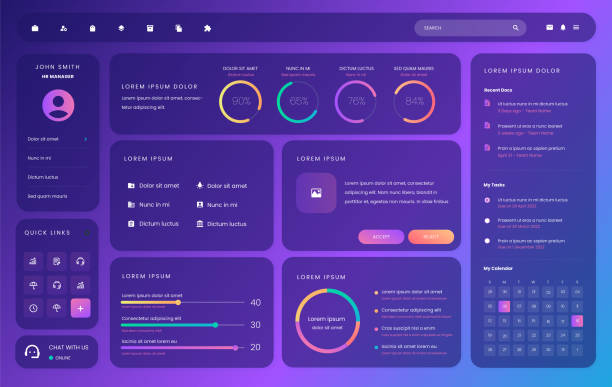
To be honest, if you ask for the name of an online UI/UX design tool that’s really popular these days and everyone is talking about, that name is definitely Figma. Figma is not only a powerful design tool but also an unparalleled collaboration platform. I remember a time when for group work, we had to constantly email files or put them in Dropbox and pray that version conflicts wouldn’t occur. Figma came with its special features and completely eliminated this hassle.
What has made Figma so popular is that it is entirely browser-based. This means you don’t need to install anything. You just open a browser, log into your account, and start designing. This means access from anywhere and any system, even an old computer. But where is its main power? In its real-time collaboration. You and your team can work on the same file simultaneously, see each other’s changes, and even chat together. This is a miracle for project management and speeding up work.
Figma is suitable for every stage of UI/UX design. From initial wireframes and overall structure (with its powerful Auto Layout and components) to detailed UI design with all its intricacies, and even creating interactive prototypes that function exactly like the final product. You can simulate animations and user flows to test the user experience before actual coding. Figma’s free version is also truly generous. It allows you to work on three Figma files and three FigJam files (its brainstorming tool) simultaneously, which is perfectly sufficient for small and personal projects or even for a small team to get started.
This tool has gained significant traction not only globally but also in Iran among designers, and many companies and startups use it for UI/UX design. This has also led to the availability of numerous educational resources for it. If you’re looking for a powerful and free start, Figma is one of the best options.

Click here to preview your posts with PRO themes ››
| Feature | Figma Free Version | Paid Version (Professional) |
|---|---|---|
| Number of active files | 3 Figma files, 3 FigJam files | Unlimited |
| Version history | 30 days | Unlimited |
| Storage space | Limited (per file) | Unlimited |
| Collaboration features | Full | Full (more advanced capabilities) |
| Team access | For small teams | For large teams and organizations |
🖌️ Adobe XD: A Powerful Tool for the Adobe Ecosystem

Well, if you hear the name Adobe, you probably think of Photoshop, Illustrator, and other professional graphic software. Adobe XD also entered the world of UI/UX design with the same DNA. It’s true that Figma has become very popular these days, but XD still holds its ground, especially for those who have worked in the Adobe ecosystem before and feel comfortable with this brand.
Adobe XD is a powerful and versatile tool for designing, prototyping, and sharing user experiences. Its prominent features include strong vector design tools, advanced prototyping capabilities with auto-animate and interactive components. These features allow designers to simulate real user flows with high speed and accuracy, and effectively showcase the final feel of the product.
One of XD’s biggest advantages is its seamless alignment with other Adobe products. For instance, if you designed a file in Photoshop or Illustrator, you can easily import it into XD and continue working there. This is a truly significant advantage for designers accustomed to using these tools. Adobe XD’s free version, or their “Starter Plan” as they call it, offers relatively good features. You can have an unlimited number of projects, full access to its main design and prototyping tools, and even share a prototype with others for feedback.
Of course, it also has limitations; for example, in the number of simultaneous editors or cloud storage space. But for starting out, for personal projects, or even for a freelance designer, it is completely practical and useful. If you want to work with a professional tool from the Adobe family and are looking for a free start, Adobe XD can be an excellent option. For businesses that have previously worked with the Adobe ecosystem, migrating to XD or using it alongside other tools seems very logical.
💻 Penpot: Open Source Power in Your Hands
Alright, after discussing market giants like Figma and Adobe XD, it’s worth taking a look at newer, and indeed different phenomena. Penpot is one such tool that has made a name for itself with the motto “Design for Developers” and, of course, being open source. This tool is specifically built for those who enjoy design quality and also want control over freedom of action and open code.
Penpot is a wireframing and prototyping tool that is completely web-based and doesn’t require any software installation. This feature, like Figma, gives it incredible flexibility. Wherever you are, with any system, you can access your projects with just a browser. But what is its main strength? Its open-source nature. This means anyone can view, modify, and even improve Penpot’s code. Such tools usually have an active and passionate user community always ready to help and provide new ideas.
One of the interesting features that distinguishes Penpot is its focus on SVG as the primary format for design files. This means that Penpot’s outputs can be easily used on the web by developers, without the need for conversion or other hassles. This compatibility with web codes makes the design and development process (Design-to-Dev) much smoother and hassle-free. For designers who have close ties with development teams, this is a significant advantage.
Team collaboration in Penpot, like Figma, is also done in real-time. You can have multiple people working on one file and see changes moment by moment. Penpot is available for free and has no limitations on the number of projects or users, which in itself is an incredible offer. If you’re looking for an open-source, powerful, and suitable tool for UI/UX design that has a different approach, Penpot is definitely worth trying. It gives you a sense of freedom, in a way.
Does your brand’s visual identity not convey a specific message? Make your brand memorable and distinctive with Rasaweb Afarin’s visual identity services!
✅ Unique logo and visual element design
✅ Creating coherence and consistency in branding
✅ Increasing brand recognition and value in the market
⚡ Contact 09124438174 for your visual identity design!
✨ Miro and FigJam: Brainstorming and Borderless Collaboration
Well, design isn’t just about drawing pixels and aligning buttons, right? Before we even start with UI/UX design, we have a very important stage called brainstorming, idea mapping, and information organization. This is where tools like Miro and FigJam come into play and really make work easier. These two are more like infinite digital whiteboards for collaboration than traditional design tools.
Miro is, in a way, the king of online whiteboards. It gives you an infinite workspace where you can do anything. From Mind Maps and Flowcharts to designing user personas, drawing Customer Journey Maps, and even conducting remote brainstorming sessions with the team. It’s full of ready-made templates that speed up work considerably. You can use virtual sticky notes, images, videos, and anything else you can think of to implement your ideas on this digital board.
FigJam, a product of the Figma team itself, is built precisely for this purpose; namely, light and fast brainstorming and collaboration sessions. Since it’s in the same ecosystem as Figma, it’s very easy to use for those familiar with Figma. FigJam has a simple and friendly environment that helps teams quickly share ideas, get feedback, and make decisions using sticky notes, drawing tools, emojis, and stamps. This tool is truly vital for the initial stage of UI/UX design and before diving into design details.
Both of these tools have good free versions. Miro allows you to have up to three whiteboards for free, which is great for a project or personal use. FigJam, alongside Figma, also has three free files. These not only help you organize your ideas but also strengthen the culture of cooperation and participation in your team. In short, for any UI/UX designer or team looking for a strong start to their projects, using these tools is a necessity.
Click here to preview your posts with PRO themes ››
🚀 UXPin and Framer (Free and Limited Versions): Big Steps in Interactive Design

So far, we’ve talked about tools that were either completely free or had very generous free versions. But in the world of UI/UX design, there are also some truly more advanced tools that might not have a full free version, but they offer a “free taste” or a limited trial version, which can be very useful for some tasks. UXPin and Framer fall exactly into this category. These two are tools built for designing truly interactive and advanced prototypes.
Consider UXPin. This tool focuses on Logic-based Design. What does that mean? It means you don’t just draw buttons; you can define conditions and logic for them. For example, if the user clicks this button and enters their information correctly, go to the next page; if not, show an error message. These capabilities allow you to create prototypes that genuinely behave like a real application, not just a series of static images. UXPin helps you conduct much more precise user tests and ensure your user flow is truly flawless. Its free version usually offers a limited duration or a small number of projects, which is really worth it for trying it out.
On the other hand, we have Framer. Framer is a design and prototyping tool whose strength lies in coding. This tool allows designers to create prototypes that are very close to the final product by using real code (or coded components). If you or your team are familiar with coding, Framer can be an excellent bridge between design and development. Framer’s free versions also usually have limitations on the number of projects or advanced features, but they still provide an excellent opportunity to get acquainted with this advanced design approach.
These tools show that even without significant cost, you can delve into the more complex and professional aspects of UI/UX design. You just need to carefully consider whether their free version truly suits your work. Sometimes, even these limited opportunities can completely change the course of a project.
| Tool | Highlight Feature | Free Version Limitations (General) |
|---|---|---|
| UXPin | Logic-based design, dynamic prototypes | Limited number of projects, trial period, fewer collaboration features |
| Framer | Prototyping with coded components, advanced animations | Limited number of projects/teams, limited access to code libraries |
| Marvel | Create prototypes from images, simple user testing tool | 1 active project, basic collaboration features |
| Proto.io (Trial) | Advanced prototyping with animation and interaction | Trial period, limited number of projects and elements |
🧰 Other Useful and Complementary Tools: From Color Palettes to Accessibility Testing
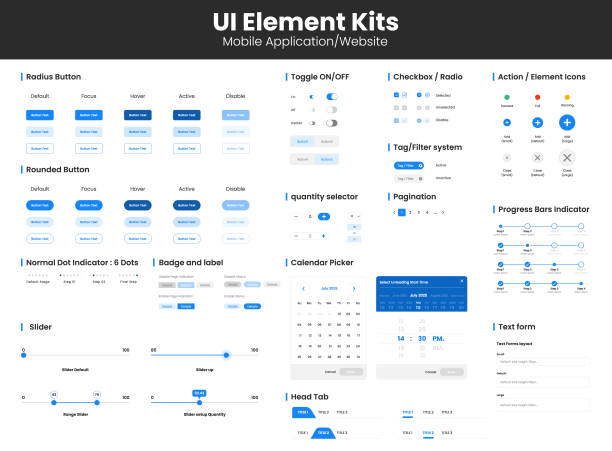
So far, we’ve mostly talked about the main UI/UX design tools. Those that handle a large part of the design work. But the design process doesn’t just end with one main tool. There are a host of smaller, complementary tools that help us do our work with higher quality and speed. These can be said to complete the toolkit of a professional designer, and fortunately, many of them are completely free!
First of all, color selection. Colors speak, convey emotions, and shape a brand’s visual identity. Tools like Coolors.co or Adobe Color (its web version) allow you to create fantastic color palettes. With a few clicks, you can find complementary, contrasting, or harmonious colors and use them for your UI/UX design projects. Very simple and fast!
Next, we go to icons. There are a lot of icons in the world that can enhance your user interface. Websites like Flaticon or Font Awesome (free version) provide you with thousands of icons. You can download them or use them as SVG in your projects. These really speed things up.
For images and photos, if you need quick edits or want to find high-quality photos, Canva (with its free version and many features) or Unsplash (for high-quality, free photos) can be good friends. You no longer need to go for heavy Photoshop for every small task!
And another really important point: Accessibility Testing. Design should be for everyone, even people with visual or mobility limitations. Tools like WAVE Web Accessibility Tool or browser extensions like Lighthouse (in Chrome browser) help you identify and fix accessibility issues in your UI/UX design. These truly ensure you avoid many problems. By using these complementary tools, you can have a more complete and professional design.
🚧 Challenges and Opportunities: From Free Tools to the Need for Experts

Well, so far we’ve seen how many free online UI/UX design tools exist that can be helpful. These are truly a golden opportunity, especially for those just entering this world, or startups with limited budgets. With these tools, one can start, visualize ideas, build prototypes, and even deliver an acceptable initial product. Easy access, zero costs, and remote collaboration—these are all significant advantages that can no longer be ignored.
But to be honest, the story doesn’t end here. Every tool, no matter how good and powerful, has its limitations. Free tools are no exception to this rule. Sometimes, for very large and complex projects, or when you need very specific and advanced capabilities, the free version might not meet expectations. For instance, limitations on the number of projects, version history, or specific plugins.
More important than the tool itself is the knowledge and experience of the person using it. Having the best paintbrush doesn’t make you a painter. A skilled UI/UX designer isn’t just familiar with tools. They understand user psychology, keep up with global trends, can conduct market research, perform user testing, and provide creative solutions. This is where the role of specialized companies and professional consultants becomes prominent.

Click here to preview your posts with PRO themes ››
For Iranian businesses that want to make a statement in today’s competitive market and need a truly professional and optimized UI/UX design, relying solely on free tools may not be enough. Here, it is necessary for an expert team to step in and carry the project from start to finish with a strategic and deep vision. A team that has experience working with various businesses and knows what works in the Iranian market. This is exactly where brands like Rasaweb Afarin can enter the arena and be of great help.
How can you introduce your brand to millions? Rasaweb Afarin delivers your message to a wide audience with creative advertising campaigns!
✅ Designing effective advertising strategies
✅ Executing campaigns across various platforms
✅ Increasing brand awareness and sales
Shine your brand with Rasaweb Afarin!
🚀 The Future of UI/UX Design and Rasaweb Afarin’s Position in Your Progress

Well, it seems the future of UI/UX design, especially its free and online segment, is truly bright and full of excitement. With the rapid advancement of technology and artificial intelligence, newer and more powerful tools are emerging daily, making work easier than ever for designers and businesses. It’s expected that online tools will increasingly integrate with AI to provide smart suggestions, automate repetitive tasks, and even automatically create prototypes from initial sketches. This is truly exciting!
Team collaboration is also set to become smoother than it already is. This means teams can work together, regardless of where they are in the world, and turn their ideas into reality. This trend creates countless opportunities for both freelance designers and companies to achieve higher quality with lower costs. These tools are, in a way, democratizing the art and science of UI/UX design, giving everyone, regardless of budget, the chance to be creative.
But then, in this fast-paced world, real expertise and a strategic outlook always come first. Tools are just means. The person sitting behind the tool and guiding it is more important than the tool itself. A good design is not just about beauty; it must be purposeful, understand the user, and help achieve business goals. This is where companies like Rasaweb Afarin step in and play a key role.
Rasaweb Afarin, with years of experience in internet marketing, SEO, website development, and specifically UI/UX design, can be a reliable partner for your business. We are not only familiar with the latest tools but also have sufficient experience to combine art and science to design a product that is both beautiful and functional, and optimized for the Iranian market and your audience. Whether you need website and application design, optimization of your current user experience, or even expert consultation to get started, our team is with you. Let Rasaweb Afarin turn your digital vision into reality.
| Question | Answer |
|---|---|
| Are free online UI/UX design tools really effective? | Yes, many free tools offer powerful capabilities for wireframing, prototyping, and even UI design, which are very suitable for small to medium projects and getting started. |
| What is the best free tool for team collaboration in UI/UX design? | Figma is considered one of the best free options for team collaboration due to its real-time collaboration features and the ability for multiple people to work on one file simultaneously. |
| Do we need coding knowledge to use these tools? | No, most UI/UX design tools do not require coding knowledge and work visually. Some more advanced tools like Framer also provide the option to work with code, but their use is not mandatory. |
| What are the main limitations of free UI/UX design tools? | Limitations usually include the number of active projects, cloud storage space, access to some advanced features, and less support compared to paid versions. |
| How can I choose the best free tool for my needs? | You can choose the best option based on criteria such as project type (wireframe, prototype, or full design), need for team collaboration, learning curve, and compatibility with your other tools. |
| Does Adobe XD have a completely free version? | Adobe XD offers a free “Starter Plan” that provides access to core design and prototyping tools, but it may have limitations in cloud storage or the number of prototype shares. |
| What advantage does Penpot have over other free tools? | Penpot is a completely open-source and web-based tool that offers greater flexibility to users and heavily focuses on aligning design with developers through the SVG format. |
| Are these tools suitable for mobile application design as well? | Yes, all the introduced tools also have the capability to design UI/UX for mobile applications and allow you to optimize designs for various platforms (iOS and Android). |
| When should one use an expert’s services instead of free tools? | When you have complex and large projects, require a deeper strategy, extensive user research, advanced optimization for SEO and marketing, or professional team management, using the services of a specialized agency like Rasaweb Afarin is recommended. |
| How can Rasaweb Afarin help my business with UI/UX design? | Rasaweb Afarin, with expertise in UI/UX design, digital marketing, SEO, and website development, can provide comprehensive and strategic solutions for designing a user-friendly and optimized product for the Iranian market, beyond what free tools alone can offer. |
And other services of Rasaweb Advertising Agency in the field of advertising
• Marketing through participation in internet radio and television programs
• Website performance analysis and improvement across different browsers
• Design and development of Knowledge Management Systems
• Marketing consulting for the energy industry
• Automation of FAQ content generation processes with AI
And over a hundred other services in the field of internet advertising, advertising consulting, and organizational solutions
Internet Advertising | Advertising Strategy | Advertorials
Do you want to learn from customer complaints and turn them into opportunities?
Improve your services with precise complaint analysis.
✅ Customer complaint analysis for service enhancement
✉️ info@idiads.com
📱 09124438174
📞 02126406207
📍 Tehran, Mirdamad Street, next to Bank Markazi, Southern Kazeroon Alley, Ramin Alley, No. 6





