
🖼️ Why is Image Optimization the Golden Key to Boosting Your Website’s Google Ranking?
# Well, let’s be frank; when it comes to getting your site seen on Google, many people only focus on keywords and textual content. But honestly, there’s a cozy and incredibly important corner that’s often overlooked: your website’s images. It’s truly surprising how powerful this section can be for boosting your website’s ranking on Google, yet many still neglect it. Think of it, your website is like a storefront. If the storefront is cluttered, slow, and disorganized, who will bother to stop and look?
Images not only add visual beauty to your site but are also an unparalleled SEO opportunity. Google, unlike us humans, cannot see and understand an image’s content as we do. It needs the textual information we provide alongside the images. For instance, the file name, alternative text (Alt Text), title, and image descriptions. If you don’t give it this information, how do you expect your photos to appear in Google Image Search? Or more importantly, how do you expect your main page to get a better ranking simply because of an optimized image?
It’s not just about visibility in Google Images; site loading speed, user experience, and even signals related to content credibility are all somehow dependent on images. A high-volume image can drastically slow down page load speed. And you know that site speed is one of the crucial factors in Google’s ranking algorithm. Users, if forced to wait a few extra seconds, will probably hit the back button and go to a competitor. What does that mean? It means the bounce rate goes up, and Google interprets this as a negative signal. So, image optimization is not just an option, but a vital necessity for any website aiming to make an impact in today’s competitive landscape and, of course, looking to increase its website ranking on Google. Let’s talk more about this.
📸 Image Formats; Which One to Choose for Your Website?
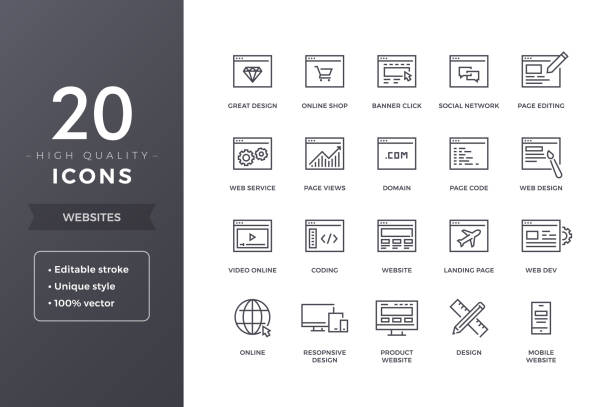
Choosing the right format for your website images is truly an art, somewhat like selecting the appropriate outfit for a special occasion. Each format has its pros and cons, and if you choose incorrectly, you either lose quality or sacrifice site speed. This is where knowing the differences becomes crucial. There are four main formats we often deal with on the web: JPEG, PNG, WebP, and SVG.
JPEG or JPG, well, this old friend is the best option for real-life, detailed photographs. For example, product photos, landscapes, or portraits. The good thing about JPEG is that it can compress the file a lot, with only a slight loss of quality that isn’t noticeable to the naked eye. This is lossy compression, meaning some unnecessary image data is removed to reduce the size. But if you compress it too much, it loses quality and becomes pixelated.
PNG is the opposite. It’s excellent for images with transparency, like logos, icons, or any image without a background. PNG uses lossless compression, meaning no information is removed from the image, and the original quality is fully preserved. However, PNG file sizes are usually larger than JPEG, especially if your image has many colors.
WebP is a newer format from Google that offers both lossless and lossy compression. Its goal is to provide the best of both worlds: good quality and small size. Google states that WebP images are, on average, 25-35% smaller than JPEG and PNG, without any noticeable quality loss. Many modern browsers support it, and using it greatly helps increase site speed. If you’re looking to optimize images for boosting your website’s ranking on Google, WebP is an excellent choice.
SVG is used for vector graphics such as icons, logos, or charts. Unlike the others, which are pixel-based, SVG is written based on mathematics and code. What does that mean? It means no matter how much you zoom in, its quality doesn’t decrease. Its size is also very small. So for graphic elements on your site, SVG is the best choice. In short, choose the right format to optimize both your site speed and visual quality.
49. Do you want your business to grow using data? Rasaweb Afarin, with AI consulting and data analysis, provides you with the best data-driven growth strategies to make smarter decisions!
✅ Advanced business data analysis
✅ Providing AI-based solutions
✅ Increasing efficiency and profitability
Build your business future with data!
⚡️ Image Compression Wizard; A Way to Higher Speed and Ranking

You really don’t know what a great miracle image compression can work for your website loading speed. It’s like taking a large suitcase full of items and making it smaller and more compact, without removing anything, so it’s easier to transport. Exactly the same thing happens to your images. Compression reduces the image file size so the user’s browser can download and display it faster. And we know that site speed is one of the most important factors in increasing a website’s ranking on Google.
Now, we have two main types of compression: lossy and lossless.
Lossy Compression: This method removes some redundant and imperceptible information from the image to significantly reduce its size. For detailed photos like product images or advertising banners, this method is usually used. Tools like TinyPNG (whose name is misleading and also compresses JPEG!), JPEGmini, and Kraken.io are good examples for this. Remember, you need to find a balance between quality and size. A little loss of quality is fine, but don’t overdo it to the point where the photo becomes blurry.
Lossless Compression: This method compresses the file without losing even a single pixel of image quality. It’s mostly used for logos, icons, and images where clarity is very important. Tools like Optimizilla or even Photoshop itself have this capability. This method is common for formats like PNG and GIF.
To make your job easier, you can use WordPress plugins like Smush or EWWW Image Optimizer, which automatically optimize images when you upload them. Or you can even use online tools before putting images on your site. The main goal is to make your images as small as possible, without significant damage to visual quality. This is a big step towards improving your site’s position in search results. Here’s a comparison table:

Click here to preview your posts with PRO themes ››
| Feature | Lossy Compression (with quality loss) | Lossless Compression (without quality loss) |
|---|---|---|
| Size Reduction | Very High | Medium |
| Quality Preservation | With slight loss | Complete |
| Suitable for | Real photos, detailed images | Logos, icons, graphics, images with transparency |
| Example Tools | TinyPNG, JPEGmini | Optimizilla (for PNG), certain Photoshop settings |
✍️ Alt Text and File Name; Your Images’ Secret Language for Google
Remember I said Google can’t see images like we humans can? Well, this is exactly where we need to help it understand our images. We have two golden tools for this: File Name and Alt Text. These two act like identity cards for your images for search engines.
First of all, the file name. Many people just take a photo with their camera or phone and upload it with the default name like IMG_1234.jpg. This is a big mistake! The file name should be completely descriptive and contain keywords relevant to the image and page content. For example, if you have a photo of a traditional pottery vase, name the file golaan-sofaali-sanati-rasaweb-afarin.jpg. Use hyphens (-) between words, not spaces or underscores (_). This helps Google understand what your image is about, which is a positive step for boosting your website’s ranking on Google.
Now we come to Alt Text. This is the heart of the matter. Alt Text is the text displayed if the image fails to load for any reason. More importantly, this text is read by screen readers for visually impaired users, helping them understand the image’s content. From an SEO perspective, Alt Text is your best opportunity to accurately describe the image’s content to Google. It should be descriptive, concise, and include the main keyword or related keywords. But be careful not to spam by stringing several keywords together.
For example, for that same pottery vase, a good Alt Text could be: “Handmade traditional pottery vase with Persian designs, suitable for home decor.” This Alt Text describes the image well and naturally includes keywords. You can also use local (GEO SEO) keywords, such as “Isfahan traditional pottery vase.” This is especially useful for local businesses that want to be seen in local searches. Let’s remember, Alt Text is not just for SEO; it’s also incredibly vital for Accessibility. When Google sees that your site is for all users, it rewards you, which means improving your site’s position.
📱 Image Dimensions and Responsiveness; Compatibility with Every Device
In today’s world, where everyone browses the web on their smartphones, if you don’t optimize your site’s images for different dimensions, you’re missing out! The discussion of image responsiveness is not only important for user experience but also crucial for SEO and boosting your website’s ranking on Google. Google places a lot of importance on sites that display well on every device, from desktops to tablets and mobile phones.
First of all, the correct image dimensions. What does that mean? It means don’t upload an image with dimensions larger than necessary. For example, if your site’s column width is no more than 800 pixels, there’s no need to upload an image with a width of 2000 pixels. This only imposes unnecessary extra volume on the site and drastically slows down speed. Before uploading, resize the dimensions to an appropriate size. Many photo editing software programs or even online tools can do this for you.
Now, how do we make images responsive? One way is to use the `` tag with `srcset` and `sizes` attributes. These attributes allow the browser to select and load the most suitable image version depending on the user’s screen dimensions. For example, you can prepare several versions of an image with different dimensions, and the browser will automatically show the user the image with the appropriate dimensions. This means both better speed and excellent user experience.
Another way is to use CSS. By using `max-width: 100%;` in CSS, you can ensure that the image never gets larger than its container and always adjusts itself to the width of its container. This method is simpler but not as optimized as `srcset`, because the browser might still download a larger version of the image and then shrink it with CSS.
Ultimately, always try to provide quality images with optimized size in the correct dimensions for every device. This not only makes your site more pleasant for the user but also counts as a positive score from Google’s perspective and certainly has a direct impact on your site’s position in search results.
Do you want to attract targeted customers to your website at the moment of search? Rasaweb Afarin, with targeted Google Ads campaigns and precise Google Keyword Research, places you at the top of search results!
✅ Executing Google Ads campaigns with the highest return on investment
✅ Keyword research to reach the exact target market
✅ Continuous ad optimization to reduce costs
For a powerful presence on Google, contact us: 09124438174
🚀 Lazy Loading; Smart Image Loading for Increased Speed

Okay, so far we’ve talked about optimizing image size and format, but there’s another fantastic technique that can revolutionize page load speed: Lazy Loading. Its name might sound funny, but its performance is intelligent and vital for any site looking to boost its ranking on Google.
Imagine you have a web page full of images, such as a product gallery or a long blog post with many pictures. By default, the browser tries to download all these images simultaneously when the page loads. What’s the result? A heavy page that takes a long time to load. This is where Lazy Loading comes into play.
What is Lazy Loading? It means the browser only loads images that are currently in the user’s view (i.e., in the Viewport). Other images that are below the fold are only loaded when the user scrolls down to them. This ensures that the initial page content (above-the-fold content) is displayed much faster. When users see the content sooner, the user experience improves, and the likelihood of them leaving your site decreases.

Click here to preview your posts with PRO themes ››
From an SEO perspective, Google loves fast websites. The higher your site’s speed, the more points Google gives you. Lazy Loading directly impacts Core Web Vitals, especially Largest Contentful Paint (LCP), which relates to the loading time of the largest content element on the page. With Lazy Loading, those important elements at the top load faster, improving LCP. That’s why this technique is very effective for boosting your website’s ranking on Google.
How do we implement Lazy Loading? Recently, browsers natively support this feature; you just need to add the `loading=”lazy”` attribute to the `` tag. For WordPress, many plugins like WP Rocket or Smush offer this functionality. Using Lazy Loading is a simple yet incredibly effective way to optimize your website’s performance.
🌐 CDN; Fast Image Delivery Worldwide

Have you ever wondered how a website based in Iran can still be accessed quickly by users in America or Europe? The answer is here: CDN or Content Delivery Network. This system acts exactly like a global postal network that delivers packages (or your site’s content) from the nearest warehouse to the recipient. For boosting your website’s ranking on Google, especially for sites with a global audience, CDN is no longer an option; it’s a real necessity.
How does a CDN work? When you use a CDN, your site’s static content (like images, CSS, and JavaScript files) is copied to multiple servers in different locations around the world. When a user from anywhere in the world accesses your site, the CDN delivers the content from the server closest to that user, not from your main server which might be thousands of kilometers away. What’s the result? Reduced latency and significantly increased loading speed.
For images, which typically make up a large portion of page size, CDN is a miracle. Suppose you have an e-commerce site with many product photos. Without a CDN, every time a user from a distant location visits the site, they have to download all those photos from your main server, which can take a long time. But with a CDN, these photos are served from the closest point to the user, and the user experience dramatically improves. This means a more satisfied user, a lower bounce rate, and consequently, a positive signal for Google.
In addition to speed, a CDN also provides an extra layer of security for your site and can protect you against DDOS attacks. These services usually also have internal image optimization capabilities, for example, they can automatically compress images or convert them to more optimized formats like WebP. All these features directly and indirectly impact your site’s SEO and help to boost your website’s ranking on Google. Here’s an overview of CDN benefits:
| Feature | Description | Impact on SEO |
|---|---|---|
| Increased Speed | Content delivery from the nearest server to the user | Reduced bounce rate, improved Core Web Vitals, higher ranking |
| Improved User Experience | Faster loading for global users | Positive signal from Google |
| Reduced Server Load | Traffic distribution among CDN servers | Greater site stability, continuous availability |
| Enhanced Security | Protection against DDOS attacks | Increased Google trust in the site |
📊 Structured Data for Images; Shining in Search Results

Have you ever searched for something on Google and noticed small images displayed next to some results? Or even when you’re looking for a recipe, the photo of that dish appears next to the title and description? These are not accidental. This is the magic of Structured Data for images. Using this data can really help boost your website’s ranking on Google and make your site stand out in search results.
Structured data is a standardized code that provides specific information about your page’s content to search engines. These codes help Google better understand the page content. When we talk about images, this data can tell Google what the image shows, what topic it relates to, whether it’s part of a product, a recipe, an article, or a video.
For example, if you have an e-commerce site and publish a product image, you can use `Product` Schema Markup. In this Schema, you can specify the product image URL, product name, price, and star rating. When Google reads this information, it can display that image along with additional information as a Rich Snippet or Rich Result in search results. This special display makes your result more visible and significantly increases the click-through rate (CTR).
For recipes, you can use `Recipe` Schema Markup and specify the final dish photo within it. For news articles, the main article image can be marked up with `Article` Schema. This not only helps your images get seen in Google Image Search but also makes your entire page look more attractive in regular search results, giving it a better chance of attracting clicks. To implement this data, you can use JSON-LD (which Google prefers), Microdata, or RDFa formats. Tools like Google’s Structured Data Testing Tool are also available to help you ensure your code is working correctly. This is a smart and technical step to improve your site’s position in search engines.
🔍 Auditing and Monitoring Image Performance; Always One Step Ahead
Okay, so far we’ve done a lot of good things: we chose the right format, compressed them, wrote Alt Text, made them responsive, and even used Lazy Loading and CDN. But don’t think the work is over! Optimization is a continuous process. You should always monitor your image performance to ensure everything is on track and that you are making progress step by step to boost your website’s ranking on Google.
Like a doctor checking a patient’s health, you should regularly audit the status of your site’s images. Many tools are available for this. For example, Google PageSpeed Insights is a free and excellent tool from Google itself that can analyze your site’s speed for both mobile and desktop and provide specific suggestions for improving your images. For example, it can tell you which images have a large size, which ones can be converted to WebP, or which ones need Lazy Loading.
Google Search Console is another vital tool. The Core Web Vitals section in this console shows you how well your site performs in terms of speed and user experience and also identifies image-related issues. For example, if your LCP (Largest Contentful Paint) is low, it’s often due to unoptimized images.
Click here to preview your posts with PRO themes ››
Other tools like GTmetrix and Pingdom can also provide comprehensive reports on your site’s speed and performance and identify image-related issues. These reports usually visually and in detail show which images are causing slowness and how much their size can be reduced.
Monitoring image performance is not limited to technical tools. Manually take a look at your site occasionally. Are all images loading correctly? Do they look good on different devices? Are Alt Texts displayed correctly? These actions help you identify problems earlier and fix them before they negatively impact your site’s ranking. This continuous monitoring is an inseparable part of a successful SEO strategy and boosting your website’s ranking on Google.
How can you revolutionize your online sales? Rasaweb Afarin, with growth engine consulting and implementation of online sales strategies, helps you increase profitability.
✅ Identifying growth opportunities
✅ Optimizing the sales funnel
✅ Increasing customer conversion rate
⚡ Boost your sales with us!
🤖 The Future of Images in SEO; AI and User Experience

Technology never stops, and the field of SEO and image optimization is no exception. We must always keep an eye on new trends and emerging technologies to always be one step ahead in boosting our website’s ranking on Google. Artificial Intelligence (AI) is revolutionizing everything, and website images are not exempt from these changes.
One of the most exciting advancements is AI-powered automated image optimization. Tools are now available that, with the help of AI, automatically detect and apply the best format, compression, and even image dimensions. You no longer need to perform all these tasks manually. These tools can even generate smart and descriptive Alt Texts that are beneficial for both SEO and accessibility. This means less time for technical tasks and more focus on quality content.
In addition to AI, User Experience (UX) has always been and remains at the center of Google’s attention. Images should not only be fast but also engaging, relevant, and functional. For example, using 360-degree images for products, interactive images, or even short videos instead of static images can significantly improve the user’s experience and increase their time on the site. These positive signals indirectly influence boosting your website’s ranking on Google.
Remember, Google is always looking to provide the best and most relevant results to the user. So, the more visually appealing, faster, and user-friendly your site is, the more Google will trust it. Investing in visual quality, speed, and user experience through image optimization is crucial not only for today but also for the future of SEO. With Rasaweb Afarin, you can always take smart steps in this direction and prepare your site for the future.
| Question | Answer |
|---|---|
| Why is image optimization important for SEO? | Optimized images increase site speed, improve user experience, and help search engines better understand your content, all of which contribute to boosting your website’s ranking on Google. |
| What is the best image format for the web? | WebP is generally considered the best format due to its high compression with good quality preservation. JPEG is suitable for real photos, and PNG for images with transparency or icons. SVG is ideal for vector graphics. |
| What exactly is Alt text and how should it be written? | Alt text (alternative text) is a textual description for an image that is displayed if the image fails to load or for visually impaired users. It should be descriptive, concise, and include relevant keywords, without spamming. |
| Does image compression damage their quality? | Lossy compression can reduce quality, but with appropriate tools and correct settings, the quality loss is usually imperceptible to the human eye. Lossless compression does not harm quality at all. |
| How does Lazy Loading help SEO? | Lazy Loading only loads images that are in the user’s viewport, thereby increasing initial page load speed. This improves Core Web Vitals and is a positive signal for Google, leading to an increase in website ranking. |
| What role does CDN play in image optimization? | CDN increases loading speed worldwide by delivering images from the nearest server to the user. It can also automatically compress and optimize images, which helps with SEO and user experience. |
| How do I know if my site’s images are optimized? | You can use tools like Google PageSpeed Insights, Google Search Console (Core Web Vitals section), GTmetrix, and Pingdom to analyze performance and get image optimization suggestions. |
| Are there tools for automatic image optimization? | Yes, WordPress plugins like Smush and WP Rocket or online tools like TinyPNG, as well as some CDNs, offer automatic image optimization capabilities. |
| What is the impact of images on user experience? | High-quality and optimized images make the page more attractive, increase content readability, and by reducing loading time, create a positive user experience that encourages them to stay on the site longer. |
| Does Google care about images in website content? | Yes, Google considers images as part of the content. Relevant and optimized images can help Google better understand the overall page content and, through image search and Rich Snippet display, lead to increased traffic and higher ranking for your site. |
And other services of Rasaweb Advertising Agency in the field of advertising
• Consulting and design of microservice architecture for websites
• Development of custom tools for competitor analysis in the digital space
• Planning and implementation of innovative marketing strategies (Guerrilla Marketing)
• Implementation of website security alert systems
• Optimization of site content for Frequently Asked Questions (Q&A Schema)
and over a hundred other services in the field of internet advertising, advertising consulting, and organizational solutions
Internet Advertising | Advertising Strategy | Advertorials
How to be more successful in business negotiations? With information that gives you bargaining power. ✅ Preparing information for negotiations.
✉️ info@idiads.com
📱 09124438174
📞 02126406207
📍 Tehran, Mirdamad Street, next to Bank Markazi, Southern Kazeroun Alley, Ramin Alley No. 6


