

What is technical SEO and why is it important?

What is technical SEO and why is it important?
Technical SEO refers to optimizing the technical aspects of a website to improve its ranking in search engines like Google, Bing, and Yahoo.
This process involves ensuring that the website is crawlable and indexable by search engine bots.
In other words, the goal of #technicalSEO is to create a robust and optimized infrastructure for the website so that search engines can easily find, understand, and rank the content.
The importance of technical SEO stems from the fact that without a proper technical foundation, even the best content in the world cannot achieve top search result rankings.
If your website has issues like slow loading speed, an inappropriate URL structure, or the absence of an XML sitemap, search engines may not be able to properly identify and rank your content.
As a result, your website’s organic traffic will decrease.
In short, technical SEO is a bridge between quality content and high search engine rankings.
By investing in technical SEO, you can ensure that your website is optimized for search engines and has a better chance of attracting organic traffic and increasing online visibility.
Does your current website build the trust that potential customers should have in your business? If the answer is no, it’s time to have a professional and impactful corporate website with Rasaweb.
✅ Completely custom design tailored to your brand identity
✅ Increased lead generation and credibility of your business in the eyes of customers⚡ Contact us for a free consultation!
The most important technical SEO factors in 2024
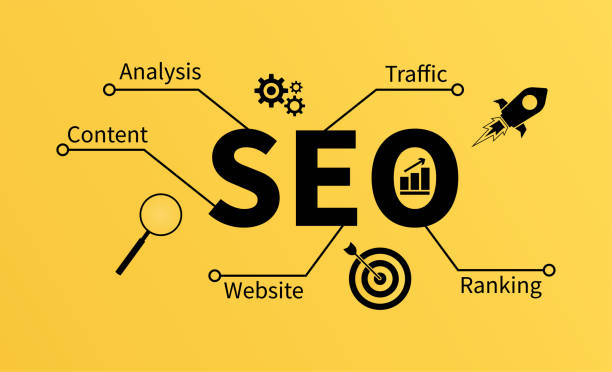
The most important technical SEO factors in 2024
In 2024, several factors are important in technical SEO.
The most important of these factors are:
- Page Speed: Page loading speed is a key ranking factor in Google.
Pages with high loading speeds not only provide a better user experience but also have a better chance of ranking in search results.
To improve page loading speed, you can use techniques such as image compression, using a CDN, and code optimization. - Mobile-Friendliness: Given the increasing use of mobile devices, mobile-friendliness is very important.
Google uses Mobile-First Indexing, meaning the mobile version of your website is used for ranking in search results.
Therefore, make sure your website is optimized for mobile devices. - Website Security (HTTPS): Using HTTPS protocol to secure your website is essential.
HTTPS protects user data when transmitted between the browser and the server.
Google prefers websites with HTTPS and gives them a better ranking. - URL Structure: The URL structure of the website should be logical and understandable.
Short, descriptive URLs that include relevant keywords help search engines better understand the content of the page. - XML Sitemap: An XML sitemap helps search engines find and index all the pages of your website.
Creating and submitting an XML sitemap to Google Search Console can speed up the indexing process. - robots.txt file: The robots.txt file tells search engines which pages of your website should not be indexed.
Correct use of this file can prevent unnecessary and duplicate content from being indexed.

Click here to preview your posts with PRO themes ››
Considering these factors, you can develop a comprehensive technical SEO strategy for your website and improve your ranking in search results.
Website speed optimization – Solutions and tools
Website Speed Optimization – Solutions and Tools
Website speed is one of the most important factors in user experience and #SEO ranking.
Users expect web pages to load quickly, and Google gives faster websites a better ranking.
To optimize website speed, you can use several solutions and tools:
- Image Compression: Large and uncompressed images can significantly slow down page loading speed.
Use tools like TinyPNG or ImageOptim to compress images without losing quality. - CSS and JavaScript Code Optimization: Large and unoptimized CSS and JavaScript files can slow down page loading speed.
Use tools like CSS Minifier and JavaScript Minifier to minify and optimize the code. - Using a CDN: A Content Delivery Network (CDN) stores your website’s content on different servers around the world.
When a user accesses your website from a particular geographic location, the content is served from the CDN server closest to them, which increases page loading speed. - Enabling Browser Caching: Browser caching allows the browser to store website files locally.
When the user returns to your website again, the files are loaded from the browser cache, which increases the page loading speed. - Using Website Speed Testing Tools: There are several tools for testing website speed, such as Google PageSpeed Insights, GTmetrix, and Pingdom Website Speed Test.
These tools help you identify your website’s speed issues and find solutions to improve them.
By implementing these solutions and using the appropriate tools, you can significantly improve your website’s speed and provide a better user experience for your visitors.
| Tool | Application |
|---|---|
| Google PageSpeed Insights | Speed analysis and suggestions |
| GTmetrix | Comprehensive analysis and performance report |
| Pingdom | Speed test from different points |
Mobile-Friendliness – Responsive Design and AMP

Mobile-Friendliness – Responsive Design and AMP
Mobile-Friendliness means optimizing the website for correct display and proper performance on mobile devices.
Considering that more than half of web traffic comes from mobile devices, mobile-friendliness is critical for SEO and user experience.
Google also uses Mobile-First Indexing, meaning the mobile version of your website is used for ranking in search results.
There are two main approaches to making a website mobile-friendly:
- Responsive Design: Responsive design means designing a website that automatically adapts to the screen size of different devices.
Using CSS Media Queries, you can adjust the layout, fonts, and images of your website based on the screen size. - Accelerated Mobile Pages (AMP) Project: AMP is an open-source framework developed by Google.
AMP pages load significantly faster than regular web pages because they use simplified HTML and limited JavaScript.
Using AMP can improve your website’s ranking in mobile search results.
To check the mobile-friendliness of your website, you can use Google’s Mobile-Friendly Test tool.
This tool shows you whether your website is optimized for mobile devices or not, and provides suggestions for improving it.
By ensuring that your website is mobile-friendly, you can provide a better user experience for your mobile visitors and improve your website’s ranking in mobile search results.
Does your current site represent your brand’s credibility as it should? Or does it drive away potential customers?
Rasaweb, with years of experience in professional corporate website design, is your comprehensive solution.
✅ A modern, beautiful site tailored to your brand identity
✅ Significant increase in lead generation and new customers
⚡ Contact Rasaweb now for a free corporate website design consultation!
Optimized URL Structure – Key Tips
Optimized URL Structure – Key Tips
The URL Structure of a website is an important factor in technical SEO.
Optimized URLs help search engines better understand the content of the page and also give users a clear view of the content of the page.
Here are some key tips for creating an optimized URL structure:
- Be short and descriptive: URLs should be short and descriptive.
Use keywords related to the page’s content in the URL. - Use hyphens (-) instead of spaces: Search engines consider hyphens as word separators in the URL.
Instead of using spaces, use hyphens to separate words. - Use lowercase letters: Some servers are sensitive to uppercase and lowercase letters in the URL.
To avoid potential problems, use lowercase letters in the URL. - Avoid unnecessary parameters: Unnecessary parameters in the URL can create long and complex URLs.
Avoid unnecessary parameters as much as possible. - Use a hierarchical structure: A hierarchical URL structure helps search engines better understand the structure of your website.
For example, if you have a page about “digital cameras”, its URL can be like this:example.com/products/cameras/digital-cameras
By following these tips, you can optimize your website’s URL structure and help search engines better understand your content.
This can improve your site’s SEO ranking.
XML Sitemap – Creating and Submitting to Google

XML Sitemap – Creating and Submitting to Google
An XML Sitemap is an XML file that contains a list of all the URLs on your website.
The XML sitemap helps search engines find and index all the pages of your website, especially pages that may not be easily found by web crawlers.
To create an XML sitemap, you can use various online tools, such as XML-Sitemaps.com.
These tools automatically scan your website and create an XML sitemap.
After creating the XML sitemap, you must register it in Google Search Console.
To do this, go to your Google Search Console dashboard, click on “Sitemaps” in the left menu, and then enter the URL of your XML sitemap and click the “Submit” button.
By registering the XML sitemap in Google Search Console, you help Google to quickly and completely index all the pages of your website.
This can help improve your website’s ranking in search results.
Remember to update your XML sitemap and re-register it in Google Search Console after each change to your website.
| Item | Description |
|---|---|
| Create a sitemap | Using an online tool or plugin |
| Register in Search Console | Enter the sitemap URL in Google Search Console |
| Update | Update the sitemap after each change on the site |
robots.txt File – Managing Crawler Access

robots.txt File – Managing Crawler Access
The robots.txt file is a text file located in the root of your website that tells search engines which pages of your website should not be indexed.
This file allows you to control web crawler access to specific parts of your website.
To create a robots.txt file, you can use a simple text editor like Notepad.
In the robots.txt file, you can use various commands to control crawler access.
The most important of these commands are:
User-agent:This command specifies which web crawler should follow the specified rules.
For example,User-agent: Googlebotrefers to the Google crawler.
To apply the rules to all crawlers, you can useUser-agent: *.Disallow:This command specifies which URLs should not be indexed.
For example,Disallow: /private/prevents all files and folders inside the/private/folder from being indexed.Allow:This command specifies which URLs should be indexed, even if they are in aDisallowrule.Sitemap:This command specifies the URL of your website’s XML sitemap.
After creating the robots.txt file, place it in the root of your website (for example, example.com/robots.txt).
Search engines automatically find and check your robots.txt file.
Note that the robots.txt file is a guideline, not a rule.
Some crawlers may not follow the rules specified in the robots.txt file.
Fixing 404 Errors and Redirects – Managing Broken Links

Fixing 404 Errors and Redirects – Managing Broken Links
404 errors (Page Not Found) and redirects can negatively affect your website’s SEO and user experience.
404 errors occur when a user or web crawler tries to access a page that does not exist.
Redirects are used when a page has been moved to a new URL.
To find 404 errors on your website, you can use various tools, such as Google Search Console, Broken Link Checker, and Screaming Frog SEO Spider.
These tools scan your website and provide a list of all broken links and 404 errors.
After finding the 404 errors, you must fix them.
To do this, you can use one of the following methods:
- Creating a custom 404 page: Create a custom 404 page with an attractive design and useful content.
This page should inform the user that the requested page was not found and provide links to other important pages of the website. - 301 redirect: If the requested page has been moved to a new URL, use a 301 redirect (Permanent Redirect).
A 301 redirect tells search engines that the page has been permanently moved to a new URL and transfers the previous page’s ranking to the new page. - Fix broken link: If there is a broken link on your website, replace it with the correct link.
By fixing 404 errors and properly managing redirects, you can improve your website’s user experience and prevent their negative impact on SEO.
Are you tired of your online store having visitors but no sales? Rasaweb solves your main problem by designing professional online stores!
✅ Significant increase in sales with targeted design
✅ Perfect user experience for your customers
⚡ Get a free consultation!
Schema Markup – Improving Display in Search Results

Schema Markup – Improving Display in Search Results
Schema Markup is a markup language that allows you to add structured information to your website’s pages.
This information helps search engines better understand the content of the page and provide a better display in search results.
Using schema markup, you can add information such as product name, price, rating, address, business hours, events, and articles to your website’s pages.
This information can be displayed in search results as Rich Snippets, which increases click-through rate (CTR) and attracts more traffic.
To add schema markup to your website’s pages, you can use different formats such as JSON-LD, Microdata, and RDFa.
JSON-LD is the format recommended by Google because it is easier to implement and is placed directly in the <script> tag in the HTML page.
To check whether your schema markup has been implemented correctly, you can use Google’s Rich Results Test tool.
This tool shows you whether Google can recognize your schema markup and display rich snippets correctly or not.
By using schema markup, you can improve your website’s display in search results and attract more traffic.
This can help your site’s SEO ranking.
The Importance of Local SEO and Google My Business Optimization

The Importance of Local SEO and Google My Business Optimization
Local SEO refers to optimizing your website and online profile to attract local customers.
If you have a local business, local SEO can help you rank higher in Google’s local search results (Local Pack) and Google Maps and attract more customers.
The most important factor in local SEO is optimizing your Google My Business (GMB) profile.
GMB is a free profile that allows you to display your business information on Google, such as name, address, phone number, business hours, website, photos, and customer reviews.
To optimize your GMB profile, follow these tips:
- Complete and accurate information: Enter all your business information completely and accurately.
- Choose the appropriate category: Choose the appropriate category for your business.
- Add high-quality photos: Add high-quality photos of your business, products, and services.
- Request customer reviews: Ask your customers to post their reviews on GMB.
- Respond to customer reviews: Respond to all customer reviews, both positive and negative.
- Regular updates: Update your GMB profile regularly.
By optimizing your GMB profile and doing local SEO, you can improve your business’s ranking in Google’s local search results and attract more customers.
Frequently Asked Questions
| Question | Answer |
|---|---|
| What is SEO? | SEO or Search Engine Optimization is a process to increase the quality and quantity of website traffic by improving the site’s ranking in natural (organic) search engine results like Google. |
| What are the main types of SEO? | SEO is divided into three main categories: On-Page SEO, Off-Page SEO, and Technical SEO. |
| What does On-Page SEO include? | On-Page SEO includes optimizing elements within the website, such as keywords, title tag, meta description, content, URL structure, images, and internal links. |
| What is Off-Page SEO? | Off-Page SEO refers to activities outside the website that help improve its ranking, such as backlink building, social media marketing, and brand mentions. |
| What is Technical SEO? | Technical SEO deals with optimizing the technical aspects of the website to help search engines crawl and index it better. This includes site speed, mobile-friendliness, site structure, sitemaps, and robots.txt files. |
| What role do Keywords play in SEO? | Keywords are terms that users enter in search engines. Correct and targeted use of relevant keywords in the site’s content and elements helps search engines understand the topic of your page and display it to related searches. |
| What is a Backlink and why is it important? | A backlink, or inbound link, is a link from one website to another. Backlinks act as a “vote of confidence” from other sites for search engines and play an important role in the credibility and ranking of the site, especially if they are from reputable sites. |
| How does quality content affect SEO? | High-quality, relevant, comprehensive, and unique content not only attracts and retains users, but also shows search engines that your page is valuable. This helps improve ranking, reduce bounce rate, and increase user time on the site. |
| Why is site loading speed important for SEO? | Site loading speed is an important ranking factor for Google. Faster sites provide a better user experience, have a lower bounce rate, and are preferred by search engines. |
| Is SEO a one-time process? | No, SEO is an ongoing and long-term process. Search engine algorithms are constantly changing, competition is increasing, and site content also needs to be updated. Therefore, SEO requires continuous monitoring, analysis, and optimization. |
And other services of Rasa Web advertising agency in the field of advertising
Intelligent website development: Designed for businesses looking to improve SEO ranking through the use of real data.
Intelligent direct marketing: An innovative platform to improve customer acquisition by customizing the user experience.
Intelligent website development: An effective tool for analyzing customer behavior with the help of real data.
Intelligent UI/UX: Transform customer acquisition by customizing the user experience.
Intelligent UI/UX: An innovative platform for improving campaign management with precise audience targeting.
And more than hundreds of other services in the field of internet advertising, advertising consulting and organizational solutions
Internet advertising | Advertising strategy | Advertorial Report
Sources
Semrush Technical SEO Checklist
,Ahrefs Technical SEO Guide
,Technical SEO on Moz
,Technical SEO Guide on Search Engine Land
? Is your business ready to jump into the digital world? Rasaweb Afarin Digital Marketing Agency paves the way for your online success by providing comprehensive services including advanced online store design, professional SEO optimization, and effective social media strategies. Contact us for more information and expert advice.
📍 Tehran, Mirdamad Street, next to the Central Bank, Southern Kazeroun Alley, Ramin Alley No. 6





