

What is On-Page SEO and Why is it Important?
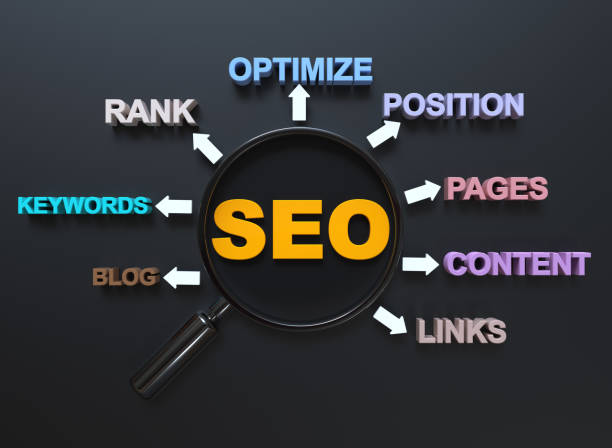
On-Page SEO refers to the set of actions taken within a website to improve the site’s ranking in Google search results and other search engines.
These actions include optimizing content, HTML tags, URL structure, and other factors related to the website itself.
Unlike Off-Page SEO, which focuses on link building and advertising, On-Page SEO directly affects the content of the site itself.
The importance of On-Page SEO lies in the fact that it helps search engines to better understand the content of the site and identify what topic your site is about.
When search engines have a clear understanding of your site’s content, the likelihood of your site ranking higher in search results increases.
In general, SEO will increase organic traffic, increase visitors, and ultimately increase sales and revenue.
In addition, On-Page SEO helps improve user experience.
When your site has a proper structure, its content is readable and engaging, and the page loading speed is high, users will have a better experience and the likelihood of them returning to your site increases.
Therefore, On-Page SEO is important not only for search engines but also for users.
To start On-Page SEO, you need to pay attention to various factors, including choosing appropriate keywords, optimizing titles and meta descriptions, using heading tags correctly, creating high-quality and engaging content, and improving page loading speed.
In the rest of this article, we will examine each of these factors in detail.
In fact, a SEO strategy without proper On-Page SEO will be incomplete and cannot achieve the desired results.
Therefore, if you are looking to improve your site’s ranking in search results, be sure to pay special attention to On-Page SEO.
Are you disappointed with the low conversion rate of your online store? Rasaweb turns your online store into a powerful tool for attracting and converting customers!
✅ Significant increase in the conversion rate of visitors to buyers
✅ Unparalleled user experience to increase customer satisfaction and loyalty⚡ Get a free consultation from Rasaweb!
Keyword Research and Choosing the Best Ones

Keyword research is the first and most important step in On-Page SEO.
First of all, you need to know what words users search for on Google to find your products or services.
For this, you can use various tools such as Ahrefs Keywords Explorer, Ubersuggest, and Google Keyword Planner.

Click here to preview your posts with PRO themes ››
When choosing keywords, pay attention to a few points:
- Relevance Keywords must be completely relevant to the topic of your site and your products or services.
- Search Volume Keywords should have an acceptable search volume, meaning that a sufficient number of users search for them.
- Competition Keywords should not be too competitive, meaning that not too many other sites are using them.
The best strategy is to choose a combination of keywords with high search volume and low competition.
These keywords will help you attract a lot of traffic and have a better chance of ranking higher.
In general, choosing the right keywords is the foundation for a successful content strategy.
In addition, pay attention to long-tail keywords.
These keywords are usually longer and more specific and have a lower search volume, but they also have less competition and can attract targeted traffic to your site.
For example, instead of the keyword “sports shoes,” you can use the keyword “buy men’s running shoes.”
After choosing keywords, use them in the titles, meta descriptions, heading tags, and content of your pages.
But be careful to use keywords naturally and fluently and avoid filling pages with keywords.
Optimizing Titles and Meta Descriptions

Titles and meta descriptions are the most important factors in On-Page SEO because they are the first things users see in search results.
The page title (Title Tag) is displayed at the top of the browser and in search results and should be attractive, concise, and relevant to the page content.
Title tag optimization directly affects the click-through rate (CTR).
The meta description is a summary of the page content that is displayed below the title in search results.
The meta description should be attractive, persuasive, and include the page’s main keywords to encourage users to click on your link.

Click here to preview your posts with PRO themes ››
Important Tips for Optimizing Titles
- The title length should be between 50 and 60 characters.
- The title should include the page’s main keyword.
- The title should be attractive and relevant to the page content.
- The title should be unique and not repeated on other pages of the site.
Important Tips for Optimizing Meta Descriptions
- The meta description length should be between 150 and 160 characters.
- The meta description should include the page’s main keywords.
- The meta description should be attractive and persuasive.
- The meta description should be unique and not repeated on other pages of the site.
By correctly optimizing titles and meta descriptions, you can increase your click-through rate and attract more traffic to your site.
Remember that titles and meta descriptions are the storefront of your online store in search results, so design them in the best possible way.
| Factor | Description | Importance |
|---|---|---|
| Title Length | Between 50 and 60 characters | High |
| Keyword | Includes the main keyword | High |
| Attractiveness | Attractive and relevant to content | Medium |
| Uniqueness | Unique within the site | High |
Using Heading Tags
Heading tags (H1 to H6) are used to organize and structure the content of web pages.
The H1 tag is the most important heading tag and should contain the main title of the page.
H2 to H6 tags are used for subheadings and different sections of content.
Correct use of heading tags helps search engines better understand the content structure.
Important Tips for Using Heading Tags
- Use only one H1 tag per page.
- Use H2 to H6 tags in order of importance.
- Heading tags should include relevant keywords.
- Heading tags should be readable and attractive.
- Use heading tags to break up the text and create a visual structure.
Using heading tags correctly not only helps search engines but also helps users easily scan the page content and find the information they need.
A proper structure using heading tags improves the user experience and increases the likelihood of users staying on your site.
This directly affects your On-Page SEO.
In fact, heading tags are like the headings of a book that help the reader quickly understand the main topics.
By using these tags, you can show search engines which parts of your content are more important and should be given more attention.
In this way, you increase the chance of ranking your pages higher.
Are you tired of losing customers due to poor online store design? With Rasaweb, solve this problem forever!
✅ Increased sales and visitor-to-customer conversion rate
✅ Smooth and engaging user experience for your customers⚡ Get a free consultation
Creating High-Quality and Engaging Content
Content is king! This famous phrase in the world of SEO means that high-quality and engaging content is the most important factor in ranking your site in search results.
Search engines are looking for sites that provide valuable and useful content for users.
Content marketing is a vital strategy for attracting audiences.
Characteristics of High-Quality Content
- Originality Your content must be original and unique and not copied from other sites.
- Value Your content should provide valuable and useful information to users.
- Relevance Your content should be relevant to the topic of your site and your keywords.
- Readability Your content should be readable and understandable, and use short sentences and paragraphs.
- Attractiveness Your content should be attractive and engaging, and use images, videos, and other multimedia elements.
To create high-quality content, you need to pay attention to the needs and interests of your audience.
Try to produce content that answers their questions and solves their problems.
Use simple and fluent language and avoid technical terms that are unfamiliar to the audience.
On-Page SEO requires engaging content.
In addition, pay attention to updating your content as well.
Search engines give higher scores to sites that regularly update their content.
Therefore, try to review your old content and add new information to it.
Content updating is an important aspect of an SEO audit.
Finally, pay attention to promoting your content as well.
Share your content on social networks, use it for email marketing, and use other advertising methods to attract traffic to your content.
Optimizing Images

Images play an important role in the attractiveness and user-friendliness of your site, but if they are not properly optimized, they can slow down page loading speeds and harm your site’s SEO.
Image optimization involves several steps:
- Choosing the Right Format JPG, PNG, and GIF formats are the most common image formats for the web.
JPG is suitable for images with many colors (such as photos), PNG is suitable for images with graphics and text (such as logos), and GIF is suitable for animated images (such as animations). - Reducing Image Size The size of the images should be as small as possible to increase the page loading speed.
To reduce the size of images, you can use various tools such as TinyPNG and ImageOptim. - Using the ALT Tag The ALT tag is an alternative text for the image that is displayed if the image does not load.
The ALT tag should be descriptive and relevant to the image content and should also include relevant keywords. - Naming Images Properly The image file name should be descriptive and relevant to the image content and should also include relevant keywords.
Instead of using default names like “IMG_1234.jpg,” use meaningful names like “men’s-sports-shoes.jpg.”
By properly optimizing images, you can both increase page loading speed and help your site’s On-Page SEO.
Remember that images are one of the most important factors in user experience and can have a big impact on your site’s ranking in search results.
Improving Page Loading Speed
Page loading speed is one of the most important factors in SEO and user experience.
Users expect web pages to load in a few seconds, and if a site loads slowly, the likelihood of users leaving it is very high.
Google considers page speed optimization as a ranking factor.
Factors that Affect Page Loading Speed
- Image Size High-size images are one of the main reasons for reducing page loading speed.
- Improper Coding Improper coding and the use of extra code can reduce page loading speed.
- Improper Hosting Improper hosting and weak servers can reduce page loading speed.
- Using Too Many Plugins Using too many plugins can reduce page loading speed.
- Caching Not using caching can reduce page loading speed.
Solutions to Improve Page Loading Speed
- Image Optimization
- Coding Optimization
- Choosing Proper Hosting
- Reducing the Number of Plugins
- Using Caching
By improving page loading speed, you can both improve the user experience and help your site’s On-Page SEO.
There are various tools such as Google PageSpeed Insights that help you check your page loading speed and find ways to improve it.
By using these tools, you can identify and fix your site’s speed problems.
| Factor | Description | Solution |
|---|---|---|
| Image Size | High-size images | Image Optimization |
| Improper Coding | Non-standard coding | Code Optimization |
| Improper Hosting | Hosting with low resources | Choosing Proper Hosting |
| Too Many Plugins | Too many plugins | Reducing the Number of Plugins |
| Not Using Caching | Not Using Caching | Using Caching |
Proper URL Structure

The URL structure of web pages should be readable, descriptive, and relevant to the page content.
A proper URL structure helps users and search engines easily understand the page content.
Optimizing URL structure improves crawling and indexing of the site by search engines.
Important Tips for Designing a URL Structure
- Use relevant keywords in the URL.
- URLs should be short and concise.
- Use hyphens (-) instead of underscores (_) to separate words in the URL.
- Use lowercase letters in the URL.
- Avoid using too many parameters in the URL.
- Avoid creating duplicate URLs.
For example, instead of using an improper URL like “example.com/page?id=123,” use a proper URL like “example.com/men’s-sports-shoes.”
A proper URL structure not only helps your site’s SEO but also helps users easily find the pages they want.
On-Page SEO requires a proper structure.
In fact, a URL is an address for your page on the web and should be such that it is both understandable for search engines and attractive to users.
By designing a proper URL structure, you can show search engines what topics your pages are about and help users easily navigate your site.
Is your current online store design causing you to lose customers and sales?
Rasaweb is your solution with modern and user-friendly online store designs!
✅ Significant increase in conversion rate and sales
✅ Creating strong branding and gaining customer trust
⚡ Get a free online store design consultation from Rasaweb!
Internal Linking
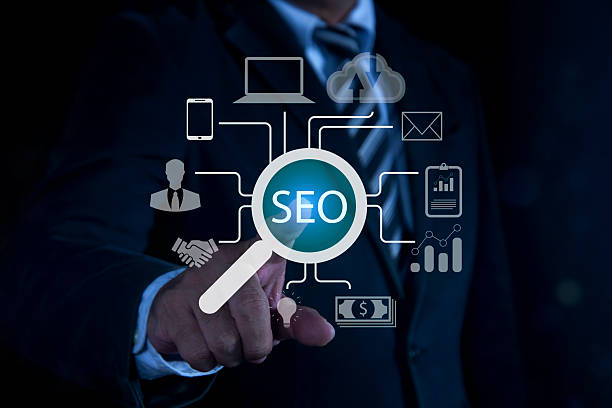
Internal linking refers to the process of creating links between different pages of a website.
Internal linking is one of the most important factors in On-Page SEO because it helps search engines to better understand the site structure and identify more important pages.
Internal linking helps to distribute page authority (PageRank) throughout the site.
Benefits of Internal Linking
- Improving Site Ranking in Search Results
- Increasing Site Traffic
- Improving User Experience
- Increasing User Dwell Time on the Site
Important Tips for Internal Linking
- Use Proper Anchor Text.
Anchor text is the text that is linked to another page and should be relevant to the content of the destination page. - Links should be relevant to the page content.
- Avoid linking to irrelevant pages.
- Avoid creating too many links on one page.
- Links should be linked to important pages of the site.
By creating proper internal links, you can show search engines which pages of your site are more important and should be given more attention.
Also, internal linking helps users to easily navigate your site and find the information they need.
On-Page SEO and internal linking are directly related.
In fact, internal linking is like a roadmap for your site that helps search engines and users to easily navigate your site.
By creating a strong internal linking network, you can help improve your site’s ranking in search results and attract more traffic to your site.
Responsive Site (Mobile-Friendly)

Today, more than half of web traffic comes to sites through mobile devices (mobile and tablet).
Therefore, a responsive site, meaning site compatibility with different devices, is one of the most important factors in SEO and user experience.
Google has introduced mobile-first indexing, meaning that the mobile version of your site is considered the main version.
Features of a Responsive Site
- Flexible design that is compatible with different screen sizes.
- Fonts and images of appropriate size that are easily visible on different devices.
- Simple and easy menu and navigation on mobile devices.
- High loading speed on mobile devices.
Methods to Test Site Responsiveness
- Using Google Mobile-Friendly Test Tool
- Opening the site on different devices (mobile, tablet, laptop)
- Using different browsers (Chrome, Firefox, Safari)
If your site is not responsive, mobile users will have a bad user experience and the likelihood of them leaving your site is very high.
Also, search engines give responsive sites more points and improve their ranking in search results.
On-Page SEO should pay attention to responsiveness.
In fact, having a responsive site means respecting mobile users.
By creating a responsive site, you show them that you care about their needs and want to provide the best user experience for them.
This not only helps improve your site’s ranking in search results but also increases user satisfaction and increases the conversion rate.
Frequently Asked Questions
| Question | Answer |
|---|---|
| What is On-Page SEO? | On-page SEO involves optimizing elements that are directly within your control and inside your website. Its goal is to help search engines better understand the content of the page and improve its ranking. |
| Why is On-Page SEO important? | On-page SEO provides clear signals to search engines about the content of the page, improves user experience, and increases the chances of attracting organic traffic. |
| What are the most important On-Page SEO factors? | Keywords, Title Tag, Meta Description, URL structure, high-quality content, image optimization, and internal links are among the most important factors. |
| What is the role of the Title Tag in On-Page SEO? | The title tag is one of the most important signals for search engines and users that identifies the main topic of the page. It should include the main keyword and be attractive. |
| How important is the Meta Description? | The meta description does not directly affect ranking, but it can improve click-through rate (CTR) by encouraging users to click. |
| How can we optimize images for On-Page SEO? | By using a descriptive file name, a suitable Alt Text containing keywords, compression to reduce size, and correct dimensions. |
| What effect do Internal Links have on SEO? | Internal links help search engines discover and index site pages, distribute authority (PageRank) throughout the site, and improve user navigation. |
| Is page loading speed a factor in On-Page SEO? | Yes, page loading speed is a vital factor in both On-Page SEO and user experience. Slower pages can lead to higher bounce rates and lower rankings. |
| What are the characteristics of high-quality content for On-Page SEO? | High-quality content should be comprehensive, unique, relevant, trustworthy, readable, and fully answer users’ needs and questions. |
| How can keywords be used in content? | Keywords should be used naturally in the title, subtitles, the first paragraph, the body of the text, and the alternative text of images. Avoid Keyword Stuffing. |
And other services of Rasa Web advertising agency in the field of advertising
Smart linking: A combination of creativity and technology to attract customers through proprietary programming.
Smart Marketplace: Designed for businesses looking to grow online through intelligent data analysis.
Smart Marketplace: A novel service to increase customer behavior analysis through Google Ads management.
Smart Advertising Campaign: A novel service to increase sales through intelligent data analysis.
Smart Direct Marketing: An effective tool to attract customers with the help of Google Ads management.
And hundreds of other services in the field of internet advertising, advertising consulting, and organizational solutions
Internet Advertising | Advertising Strategy | Advertorials
Resources
Content SEO Training | What is Content SEO and How to Write SEO Content?
,On-Page SEO Training
,On-Page SEO: How to Optimize Content for Search – Moz
,On-Page SEO: A Detailed Guide | Semrush
? To reach the peak in the digital world, trust Rasa Web Afarin. By providing comprehensive digital marketing services including multilingual website design, SEO, and targeted advertising, we introduce your business to a global audience and create a powerful presence for you.
📍 Tehran, Mirdamad Street, next to Central Bank, South Kazerun Alley, Ramin Alley No. 6
“`





