

What is On-Page SEO and Why Does It Matter?
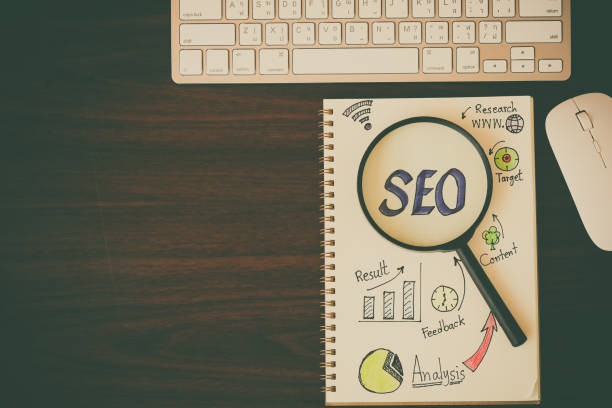
On-Page SEO is a collection of techniques and actions performed within your website to improve the site’s ranking in search engines like Google.
These actions include optimizing content, site structure, HTML tags, and other internal elements of the site.
SEO is a vital process for being visible online and has a direct impact on the traffic entering the site.
The importance of On-Page SEO stems from the fact that it helps search engines better understand your site’s content and present it to relevant users.
By properly implementing these techniques, you can improve your site’s ranking in search results and attract more organic traffic.
Organic traffic is traffic that is obtained without paying for advertising and results from natural searches by users in search engines.
In short, On-Page SEO helps you:
- Gain a better ranking in search results.
- Attract more organic traffic.
- Optimize your site’s content for users and search engines.
- Provide a better user experience for visitors.
Given the increasing importance of online presence for businesses, investing in On-Page SEO is a necessity.
This investment can lead to increased sales, improved branding, and growth for your business.
To improve your #site_ranking and increase visitors, take On-Page SEO seriously.
Are you worried that your old company website is scaring away new customers? Rasaweb solves this problem with modern and efficient corporate website design.
✅ Increases your brand credibility.
✅ Helps attract targeted customers.
⚡ Contact Rasaweb for a free consultation!
Keyword Research: The First Step in On-Page SEO

Keyword research is the process of identifying the words and phrases that users type into search engines to find information related to your business.
This process is the first and most important step in On-Page SEO.
Choosing the right keywords helps you optimize your site’s content based on user needs and searches.

Click here to preview your posts with PRO themes ››
To conduct keyword research, you can use various tools such as Google Keyword Planner, Ahrefs, and SEMrush.
These tools provide you with information about search volume, competition, and related keywords.
You can also use manual methods such as checking Google Suggest and analyzing competitors’ keywords.
When choosing keywords, consider the following:
- Search Volume: Choose keywords with a high search volume.
- Competition: Choose keywords with less competition so you can rank more easily.
- Relevance to Business: Choose keywords that are directly related to your products or services.
- User Intent: Consider the user’s intent when searching.
Is the user looking for information, buying products, or comparing products?
After choosing keywords, use them naturally and relevantly in your site’s content.
Avoid overusing keywords, as this can lead to your site being penalized by Google.
On-Page SEO requires the smart use of keywords to be beneficial to both users and search engines.
Choosing the right keywords has a significant impact on #attracting_audience to your site.
So take the time and carefully choose the appropriate keywords.
On-Page SEO is not possible without keyword research.
Optimizing Title and Meta Descriptions
The Title Tag and Meta Description are two important elements in HTML that are displayed in search results.
These two elements are the first pieces of information that users see about your page and play an important role in attracting them to your site.
Optimizing title and meta descriptions is one of the most important On-Page SEO techniques.
The Title should:
- Be short and concise (maximum 60 characters).
- Include the page’s main keyword.
- Be attractive and persuasive.
- Be unique (choose a different title for each page).
The Meta Description should:
- Be a summary of the page’s content (maximum 160 characters).
- Include the page’s main keyword.
- Be attractive and persuasive.
- Have a call to action (such as “Read more”, “Buy now”, etc.).

Click here to preview your posts with PRO themes ››
For example, for a page about a “On-Page SEO Guide”, you can use the following title and meta description:
Title: Comprehensive On-Page SEO Guide: Get Google Ranking #1!
Meta Description: In this guide, we have fully and practically taught all the techniques of On-Page SEO.
Using these techniques, you can improve your site’s ranking on Google and attract more traffic.
Remember that title and meta descriptions are an opportunity to attract users to your site.
Make the most of this opportunity and create attractive and relevant titles and meta descriptions.
Improve your On-Page SEO by optimizing these elements.
| Element | Description | Importance in On-Page SEO |
|---|---|---|
| Title Tag | The title of the page that is displayed in search results. | Very High |
| Meta Description | A summary of the page’s content that is displayed in search results. | High |
Optimizing Page Content
Content is King! This famous saying clearly shows the importance of content in On-Page SEO.
High-quality content is the main factor for attracting and retaining users on your site.
Valuable content is not only useful for users, but also helps search engines better understand the topic and purpose of your page.
To optimize page content, consider the following:
- Content Quality: Produce high-quality, valuable, and relevant content to meet user needs.
- Keywords: Use the main and relevant keywords naturally in the content.
- Content Structure: Organize the content in a regular and structured manner (using headings, subheadings, paragraphs, and lists).
- Readability: Write the content in a way that is readable and understandable for users (using short and simple sentences).
- Images and Videos: Use relevant and high-quality images and videos in the content.
- Internal and External Links: Use relevant internal and external links to increase the credibility and connection of the content.
Your content should be designed to answer users’ questions, solve their problems, and provide them with valuable information.
By producing high-quality content and optimizing it for On-Page SEO, you can improve your site’s ranking in search results and attract more traffic.
Producing excellent content greatly helps On-Page SEO.
Producing unique and engaging content helps your #business_growth.
Are you unhappy with the low sales of your online store?
Rasaweb is your solution for having a professional and high-selling online store.
✅ Significant increase in sales and revenue
✅ Easy and enjoyable shopping experience for customers
⚡ Get a free consultation from Rasaweb now!
Optimizing Images
Images play an important role in the attractiveness and better understanding of page content.
But unoptimized images can slow down page loading speed and affect the user experience.
Optimizing images is another important On-Page SEO technique.
To optimize images, consider the following:
- Choose the Right Format: Use appropriate formats such as JPEG, PNG, and WebP for images.
- Reduce File Size: Reduce the file size of images without compromising quality (use image compression tools).
- Use Alt Text: Write a suitable and relevant alt text for each image (alt text helps search engines understand the subject of the image).
- File Name: Use appropriate and relevant file names for images (including keywords).
- Image Dimensions: Adjust the image dimensions to match where it is displayed on the page.
Alt Text is an opportunity to introduce the image to search engines.
In the alt text, briefly and relevantly describe the subject of the image.
For example, for an image about a “On-Page SEO Guide”, you can use the following alt text:
Alt Text: Comprehensive On-Page SEO guide to improve site ranking
By optimizing images, you can improve page loading speed, enhance user experience, and help search engines better understand your images.
Optimized images improve #user_experience and are effective in On-Page SEO.
URL Structure and Internal Linking

URL structure and internal linking are two important factors in On-Page SEO that help search engines better understand your site’s structure and connect related pages.
A suitable URL structure should be short, readable, and include keywords.
Internal linking means creating links between different pages of your site.
With internal linking, you can direct users to related pages and increase their time spent on the site.
The URL structure should:
- Be short and concise.
- Be readable and understandable.
- Include the page’s main keywords.
- Use lowercase letters and hyphens (-) instead of spaces.
For example, for a page about a “On-Page SEO Guide”, you can use the following URL:
/on-page-seo-guide
Internal Linking should:
- Be relevant and meaningful.
- Use appropriate and relevant anchor text (anchor text is the text that links to another page).
- Link to important and relevant pages of the site.
By creating a suitable URL structure and internal linking, you can improve site navigation, help search engines better index your pages, and attract more traffic.
Internal linking is an important strategy in #site_optimization.
On-Page SEO is not complete without internal linking.
Page Loading Speed and Mobile-Friendliness

Page loading speed and Mobile-Friendliness are two important factors in user experience that have a direct impact on On-Page SEO.
Users expect web pages to load quickly and be displayed correctly on mobile devices.
If your site has a slow loading speed or is not displayed correctly on mobile devices, users will quickly leave your site, which can lead to a decrease in your site’s ranking in search results.
Page Loading Speed should:
- Be a maximum of 3 seconds.
- Be checked using speed testing tools such as Google PageSpeed Insights and GTmetrix.
- Be improved by optimizing images, compressing CSS and JavaScript files, using a CDN, and other techniques.
Mobile-Friendliness should:
- Be implemented using responsive design or a separate mobile version.
- Be checked using Google’s Mobile-Friendly Test tool.
- Be improved by optimizing the size of fonts, buttons, and other page elements for mobile devices.
| Factor | Impact on SEO | Improvement Strategies |
|---|---|---|
| Loading Speed | Higher ranking, better user experience | Image optimization, CDN usage |
| Mobile-Friendly | Higher ranking in mobile search | Responsive design |
By improving page loading speed and mobile-friendliness, you can improve the user experience, reduce the bounce rate, and improve your site’s ranking in search results.
On-Page SEO will be incomplete without paying attention to these two factors.
Designing a #mobile_friendly site is very important for On-Page SEO.
Using Schema Markup

Schema Markup is code that helps search engines better understand your page content and display richer information in search results.
By using Schema Markup, you can provide information such as your business name, address, phone number, rating, user reviews, etc. to search engines.
This information can increase the click-through rate (CTR) and attract more traffic to your site.
Using Schema Markup is an advanced technique in On-Page SEO.
There are different types of Schema Markup that you can use for different types of content.
Some of the most common types of Schema Markup include:
- Organization: For business information
- LocalBusiness: For local businesses
- Article: For articles and news
- Product: For products
- Review: For user reviews
- Event: For events
- Recipe: For food recipes
To use Schema Markup, you can use online tools like Schema Markup Generator.
These tools help you easily create Schema Markup code and place it in your page’s HTML.
By using Schema Markup, you can help search engines better understand your site and display richer information in search results.
This helps improve your #site_visibility.
Using Schema Markup helps to strengthen On-Page SEO.
Are you unhappy with the low conversion rate of visitors to customers on your online store?
Solve this problem forever with professional online store design by Rasaweb!
✅ Increase the visitor-to-customer conversion rate
✅ Create a great user experience and gain customer trust
⚡ Get a free consultation
Site Security (HTTPS)

Site Security (HTTPS) is an important factor in Google’s ranking.
Google prioritizes sites that use the HTTPS protocol.
HTTPS is a secure protocol that encrypts the communication between the user’s browser and the site’s server.
By using HTTPS, users’ information such as passwords, credit card information, and other sensitive information is protected against hackers.
Using HTTPS is a necessity for all sites and has a positive impact on On-Page SEO.
To enable HTTPS, you must obtain an SSL (Secure Sockets Layer) certificate for your site.
An SSL certificate is a digital file that confirms your site’s identity and establishes secure communication between the user’s browser and the site’s server.
You can obtain an SSL certificate from reputable SSL certificate vendors.
After obtaining the SSL certificate, you must install it on your site’s server.
After enabling HTTPS, make sure that all internal and external links on your site are correctly changed to HTTPS.
You should also update your robots.txt file and XML sitemap.
By enabling HTTPS, you can increase your site’s security and improve your site’s ranking in search results.
Using the secure HTTPS protocol is vital for #site_security and On-Page SEO.
Improve On-Page SEO by securing your site.
Continuous Analysis and Improvement of On-Page SEO

On-Page SEO is an ongoing process and requires continuous analysis and improvement.
After performing all the On-Page SEO techniques, you should regularly check your site’s performance and identify its strengths and weaknesses.
For this, you can use web analytics tools such as Google Analytics and Google Search Console.
These tools provide you with information about site traffic, keywords, page rankings, bounce rate, and other important metrics.
Using this information, you can:
- Identify the most visited keywords.
- Optimize high-ranking pages.
- Improve pages with high bounce rates.
- Fix technical problems on the site.
- Adjust your On-Page SEO strategy based on the analysis results.
On-Page SEO is a dynamic process and needs to be changed and updated with changes to search engine algorithms.
By continuously analyzing and improving On-Page SEO, you can maintain your site’s ranking in search results and attract more traffic.
On-Page SEO requires constant review and analysis to always get the best results.
For maintaining and improving the site’s ranking, continuous analysis and improvement of #On_Page_SEO is essential.
Frequently Asked Questions
| Row | Question | Answer |
|---|---|---|
| 1 | What is On-Page SEO? | On-page SEO refers to a set of actions that are carried out inside a website (on its pages) to improve the site’s ranking in search engine results. This includes optimizing content, site structure and HTML codes. |
| 2 | Why is On-Page SEO important? | On-page SEO helps search engines better understand the content of a page and determine whether that page is relevant and valuable to users’ searches. This better understanding leads to higher rankings. |
| 3 | What is the first and most important step in on-page SEO? | Keyword Research is the most important initial step. By finding the right keywords, you can produce targeted content that is relevant to users’ needs. |
| 4 | What is the role of the Title Tag in On-Page SEO? | The title tag is one of the most important ranking factors and should include the main keyword. This tag is displayed in search results as the page title and affects the click-through rate (CTR). |
| 5 | What is the importance of Meta Description? | The meta description does not directly affect the ranking, but by providing an attractive summary of the page’s content in search results, it can encourage users to click and thereby increase the click-through rate (CTR). |
| 6 | Why is using Headings (H1, H2, etc.) important in content? | Headings help structure content and improve readability for users and search engine crawlers. Using keywords in headings also helps the search engine better understand the topic. |
| 7 | What does image optimization in On-Page SEO include? | Includes compressing images to reduce volume, using descriptive and relevant file names, and filling the Alt tag (alternative text) with relevant keywords to help search engines understand the content of the image. |
| 8 | What is meant by internal linking in On-Page SEO? | Internal linking refers to creating links between different pages of a website. This helps to distribute page authority (Link Equity), improve user experience, and help search engine crawlers discover new pages. |
| 9 | Why is Page Speed important for On-Page SEO? | Page load speed is a direct ranking factor and greatly affects user experience. Slow pages can increase bounce rate and decrease user engagement. |
| 10 | What role does quality content play in On-Page SEO? | High-quality, comprehensive, unique and valuable content for the user is the core of on-page SEO. This content not only attracts and retains users, but also sends positive signals to search engines and helps to improve ranking. |
And other services of Rasa Web advertising agency in the field of advertising
Smart Linking: A professional solution for analyzing customer behavior with a focus on managing Google Ads.
Smart Social Media: Professional optimization to increase click-through rate using precise audience targeting.
Smart Google Ads: A professional solution for attracting customers with a focus on precise audience targeting.
Smart Customer Journey Map: A combination of creativity and technology for online growth by using real data.
Smart Custom Software: A fast and efficient solution to improve SEO ranking with a focus on proprietary programming.
And more than a hundred other services in the field of internet advertising, advertising consulting and organizational solutions
Internet Advertising | Advertising Strategy | Advertorial
Resources
On-Page SEO Guide from seoreviewtools.com
,On-Page Optimization from Moz
,What is On-Page SEO? Complete Guide from Ahrefs
,On-Page SEO Guide from Semrush
? To promote your business in the digital world, Rasaweb Digital Marketing Agency is your trusted partner. Among our specialized services is website design with a modern user interface, which creates a unique user experience for your audience.
📍 Tehran, Mirdamad Street, next to the Central Bank, South Kazerun Alley, Ramin Alley No. 6





