

What is On-Page SEO and Why is it Important?

#On_Page_SEO refers to a set of actions performed within a website to improve the site’s ranking in search engine results.
In other words, on-page SEO involves optimizing the content and HTML code of a web page for search engines.
The importance of on-page SEO lies in the fact that it helps search engines better understand the content of the site and display it to more relevant users.
Strong on-page SEO can increase organic website traffic, leading to increased visitors and ultimately increased sales.
In fact, on-page SEO is the foundation for success in SEO, and without it, other efforts in off-page SEO alone will not be enough.
There are various techniques in on-page SEO, including optimizing titles and meta descriptions, using relevant keywords, creating high-quality and engaging content, optimizing images, improving page loading speed, and properly structuring URLs.
By following these tips, you can help search engines better identify the site and improve its ranking in search results.
Ultimately, on-page SEO is an ongoing process and requires continuous review and updates.
As search engine algorithms change, it is necessary to update the on-page SEO strategy so that the site is always in the best possible condition.
More information about SEO
Is your current online store design not generating the sales you expect?
Rasaweb specializes in professional online store design!
✅ An attractive and user-friendly site with the goal of increasing sales
✅ High speed and security for an ideal shopping experience⚡ Get a free online store design consultation with Rasaweb!
Keyword Research: The First Step in On-Page SEO

Keyword research plays a vital role in on-page SEO strategy.
Keywords are phrases that users use to search for information in search engines.
Identifying and using appropriate keywords in website content helps search engines associate site content with user searches.

Click here to preview your posts with PRO themes ››
To start keyword research, you must first compile a list of topics related to your business.
Then, using keyword research tools like Google Keyword Planner, Ahrefs, or SEMrush, find keywords related to these topics.
At this stage, you should pay attention to search volume, competition level, and the relevance of keywords to your business.
After collecting a list of keywords, you need to prioritize them.
Keywords with high search volume and low competition are usually the best options.
These keywords should be used in titles, meta descriptions, the main body of content, and image tags.
You should also use LSI (Latent Semantic Indexing) keywords in your content.
LSI keywords are words that are semantically related to the main keyword and help search engines better understand the topic of the content.
In general, keyword research is an ongoing process and should be updated regularly.
As user behavior and search engine algorithms change, new keywords may become important, and old keywords may become less important.
Take your site’s on-page SEO seriously.
Optimizing Titles and Meta Descriptions to Increase Click-Through Rate

Title Tags and Meta Descriptions are among the most important elements of on-page SEO.
These two elements are the first things users see in search results and can have a significant impact on click-through rate (CTR).
An attractive and relevant title can encourage users to click on your site’s link.
Also, a precise and informative meta description can help users understand exactly what your page is about.
To optimize titles, you should use the main keywords in the title.
The title should be short and catchy and accurately describe the content of the page.
The title length should be less than 60 characters to be fully displayed in search results.
On the other hand, on-page SEO is effective in the growth and development of your business.
Avoid writing duplicate titles for different pages.
Each page should have a unique title.

Click here to preview your posts with PRO themes ››
To optimize meta descriptions, you should use relevant keywords in the description.
The description should be attractive and convincing and encourage users to click on your site’s link.
The description length should be less than 160 characters to be fully displayed in search results.
The meta description should accurately describe the content of the page and answer potential user questions.
Remember that on-page SEO exposes your site to your audience.
Avoid writing duplicate descriptions for different pages.
| Feature | Title Tag | Meta Description |
|---|---|---|
| Purpose | To attract attention and inform search engines and users | Provide a short summary of the page content |
| Display Location | Search engine results, browser tab | Search engine results (below the title) |
| Suitable Length | Less than 60 characters | Less than 160 characters |
| Content | Includes the main keyword, attractive and relevant | Includes relevant keywords, attractive and persuasive |
In short, optimizing titles and meta descriptions is an important process in on-page SEO that can help increase click-through rate and organic site traffic.
Creating High-Quality and SEO-Friendly Content

High-quality content is the king of SEO.
Search engines are looking for content that is valuable, relevant, and engaging.
High-quality content not only helps improve site ranking in search results, but also increases user engagement and loyalty.
This is very effective in on-page SEO.
To create high-quality content, you must first know the needs of your audience.
Your content should answer their questions, solve their problems, and provide them with useful information.
Your content must be original and unique.
Avoid copying content from others.
Copied content not only harms your site’s SEO, but may also lead to your site being penalized by search engines.
With on-page SEO you can quickly reach the desired position.
Your content should be well organized and easy to read.
Use headings and subheadings, short paragraphs, and lists to structure your content.
Use images, videos, and other multimedia elements to make your content more engaging.
Update your content regularly to keep it fresh and relevant.
Updating has a tremendous impact on your on-page SEO.
In addition to quality, your content should also be optimized for search engines.
Use relevant keywords in titles, subheadings, main body of content, and image tags.
The length of your content should be sufficient to fully cover the topic.
In general, longer content usually ranks better in search results.
Don’t forget internal and external linking in your content.
Internal links help users access other pages of your site, while external links to reputable sites increase the credibility of your content.
How to Create High-Quality Content
Is your company website as professional and reliable as it should be? Create an online presence with specialized corporate website design by Rasaweb that reflects your credibility and attracts more customers.
✅ Build a powerful and professional image of your brand
✅ Convert visitors into real customers
⚡ Get a free consultation right now!
Optimizing Images: An Opportunity for SEO and User Experience

Images play an important role in user experience and on-page SEO.
Attractive images can attract users’ attention and keep them on the site for longer.
Also, images help search engines better understand the content of the page.
Optimizing images is an important aspect of on-page SEO.
To optimize images, you must first select high-quality images.
Images should be clear and relevant to the content of the page.
Reduce image size to increase page loading speed.
You can use online image compression tools or image editing software to reduce image size.
Use appropriate formats for images.
JPEG format is suitable for photographic images and PNG format for graphic images.
Optimize image file names.
Use relevant keywords in the image file name.
On-page SEO helps you expose your business to users.
Complete the ALT tags for images.
The ALT tag is an alternative text for the image that is displayed to users if the image is not displayed.
Use relevant keywords in the ALT tags for images.
Place images in the appropriate location on the page.
Images should be placed near the related text.
Use captions for images.
A caption is a short description of the image that is displayed below the image.
Captions help users better understand the image.
By following these tips, you can optimize your images for on-page SEO and user experience.
Improving Page Loading Speed: A Critical Factor in Ranking
Page loading speed is a critical factor in ranking a site in search results.
Users expect web pages to load quickly.
If a web page takes too long to load, users may leave the site and visit another site.
Search engines also care about page loading speed.
Sites that have high loading speeds usually rank better in search results.
Pay special attention to page loading speed in on-page SEO.
To improve page loading speed, you can take various actions.
Reduce image size.
Use an optimized content management system (CMS).
Use a quality hosting service.
Use content delivery networks (CDNs).
Use browser cache.
Optimize your HTML, CSS, and JavaScript code.
Use speed optimization plugins.
By following these tips, you can improve your page loading speed and improve your site’s ranking in search results.
On-page SEO helps improve your site’s performance.
Also, Google provides you with a tool at PageSpeed Insights to measure your site’s speed and fix its problems.
Internal Linking: Structuring the Site and Transferring Authority
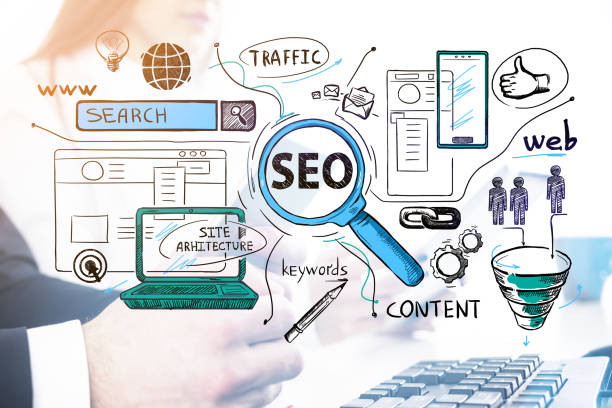
Internal linking refers to the process of creating links between different pages of a website.
Internal linking plays an important role in on-page SEO.
Internal links help search engines better understand the structure of the site and identify more important pages.
Also, internal links help users easily navigate the site and access the information they need.
One of the main goals of on-page SEO is internal linking.
To create effective internal links, you should use relevant keywords in the link text (Anchor Text).
The link text should accurately describe the content of the destination page.
Place internal links in the appropriate location on the page.
Links should be placed near the related text and naturally integrated into the content.
Create internal links to more important pages of your site.
Pages that are more important to your business should receive more internal links.
Regularly review and update your site’s internal linking structure.
Make sure all links are valid and working properly.
On-page SEO means correct linking.
| Aspect | Description |
|---|---|
| Purpose | Structuring the site, transferring authority, improving user experience |
| Anchor Text | Using relevant keywords, accurately describing the content of the destination page |
| Placement Location | Close to related text, naturally integrated into the content |
| Destination Pages | More important pages of the site |
| Review and Update | Regular review and ensuring the health and functioning of links |
By following these tips, you can improve your site’s internal linking and improve your site’s ranking in search results.
Optimizing URLs: A Simple and SEO-Friendly Structure

URLs (Uniform Resource Locators) are the addresses of web pages.
URLs play an important role in on-page SEO.
Optimized URLs can help search engines better understand the content of the page and improve the site’s ranking in search results.
URLs should be short and descriptive.
Use relevant keywords in URLs.
Avoid using special characters and too many numbers in URLs.
Use hyphens (-) instead of underscores (_) in URLs.
URLs should be logically structured.
The structure of URLs should reflect the structure of the site.
On-page SEO helps you structure the site.
For example, if you have a page about “SEO Training”, its URL could be:example.com/seo-training Avoid long and complex URLs.
Long and complex URLs are difficult for users and search engines.
Use 301 redirects to move old URLs to new URLs.
If you change the URL of a page, you must use a 301 redirect to direct users and search engines to the new URL.
By following these tips, you can optimize your site’s URLs for on-page SEO.
Are you frustrated with the low conversion rate of your online store?
Rasaweb with professional online store design is your definitive solution!
✅ Increase your sales and revenue
✅ Unparalleled user experience for your customers
⚡ Get a free consultation right now!
Responsive Website: A Necessity for SEO and User Experience

Responsive means that the site is compatible with various devices such as mobile, tablet, and desktop.
Having a responsive site is a necessity for on-page SEO and user experience.
Today, most users access the Internet via mobile.
If your site is not responsive, you will create a bad user experience for these users and may lose them.
Search engines also care about whether the site is responsive.
Sites that are responsive usually rank better in search results.
Having a responsive site has a significant impact on that site’s on-page SEO.
To make sure your site is responsive, you can use site responsiveness testing tools.
You can also check your site on different devices to make sure it displays correctly.
Use a responsive theme.
Use responsive images and videos.
Use a flexible layout.
Optimize your site’s fonts.
Make the buttons and links on your site large enough for users to click on easily.
By following these tips, you can make your site responsive and create a better user experience for your users.
On-page SEO helps you increase your site’s ranking in search engines.
Continuous Review and Update of On-Page SEO

On-page SEO is an ongoing process and requires continuous review and updates.
Search engine algorithms are constantly changing.
If you don’t update your on-page SEO strategy, you may lose your site’s ranking in search results.
You should regularly check your site’s performance.
Use web analytics tools like Google Analytics to check site traffic, conversion rate, and other key performance indicators (KPIs).
Check your keywords.
Make sure your keywords are still relevant and effective.
Check your competitors.
See what your competitors are doing in the field of on-page SEO.
On-page SEO helps you overtake your competitors.
Update your site’s content.
Update or delete old and outdated content.
Find and fix broken links.
Make sure all internal and external links on your site are valid and working properly.
Check your page loading speed.
Make sure your page loading speed is still high.
By following these tips, you can keep your site’s on-page SEO up to date and maintain your site’s ranking in search results.
On-page SEO requires continuous review.
Frequently Asked Questions
| Number | Question | Answer |
|---|---|---|
| 1 | What is On-Page SEO? | On-page SEO refers to a set of actions performed within the website and to optimize its pages in order to achieve a better ranking in search results. |
| 2 | What is the most important factor in on-page SEO? | High-quality, relevant, and comprehensive content that meets the user’s needs is the most important factor in on-page SEO. |
| 3 | What is the role of the Title Tag in on-page SEO? | The title tag is one of the most important factors that tells search engines and users what the page’s content is about. It should include the main keyword and be attractive. |
| 4 | How important is the Meta Description tag? | Although it does not directly affect the ranking, it is very effective on the click-through rate (CTR) in search results and encourages users to visit the page. |
| 5 | How is image optimization done in on-page SEO? | By using a suitable alt tag, compressing the image size to increase loading speed and naming the image file meaningfully. |
| 6 | What is the importance of using headings (H1, H2, H3) in on-page SEO? | Headings help structure content, increase readability, and help search engines understand the hierarchy and subtopics of the content. |
| 7 | What does Internal Linking mean and what are its benefits? | Internal linking means creating links between different pages of a website. This helps to distribute authority, improve user navigation, and help search engine crawling. |
| 8 | Where should the main keyword (Focus Keyword) be placed on the page? | The main keyword should be placed in the title tag, meta description, H1, first paragraph, and naturally throughout the text and, if possible, in the URL address. |
| 9 | What effect does copied or duplicate content have on on-page SEO? | Duplicate content can harm the site’s ranking and confuse search engines about which version is the original and may consider it spam. |
| 10 | How important is page loading speed in on-page SEO? | Page loading speed is an important ranking factor and directly affects user experience. Slow pages increase user bounce rates. |
And other services of Rasa Web advertising agency in the field of advertising
Smart brand identity: Designed for businesses looking for digital branding through the use of real data.
Smart brand identity: Professional optimization for analyzing customer behavior using SEO-oriented content strategy.
Smart reporting: A new service to increase campaign management through marketing automation.
Smart customer journey map: Professional optimization for analyzing customer behavior using SEO-oriented content strategy.
Smart website development: A new service to increase website visits through precise audience targeting.
And more than a hundred other services in the field of internet advertising, advertising consulting and organizational solutions
Internet advertising | Advertising strategy | Advertisement reporting
Resources
Analyzing keyword density in content
,On-Page SEO Training Video
,Comprehensive On-Page SEO Guide
,What is On-page SEO?
? Are you ready for the growth and brilliance of your business in the digital world? Rasaweb Digital Marketing Agency smooths your path to success by providing comprehensive and professional services, including custom website design, search engine optimization (SEO), and content marketing strategies. Build a bright future for your brand with us and take a big step towards progress.
📍 Tehran, Mirdamad Street, next to the Central Bank, South Kazerun Alley, Ramin Alley, No. 6
“`





