
💡 From Zero to Professional Designer: Why is UI/UX So Important?
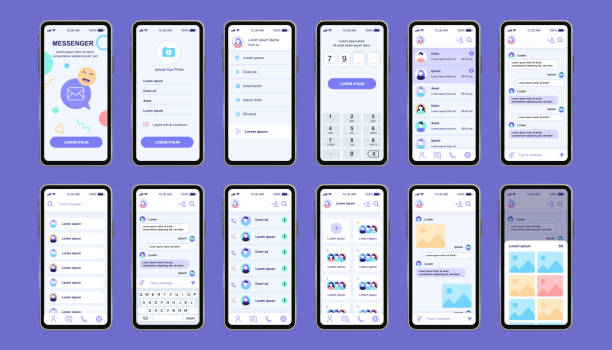
Do you remember when you first entered a website or app and were involuntarily drawn to it? Or, on the contrary, you got annoyed and closed it quickly? Well, that good or bad experience was a direct result of UI/UX design, which is what we’re going to talk about. Look, you can no longer just have a good product or service and expect success like in the past. Today, it’s more important than ever how people interact with that product.
Let me put it this way: UI/UX design is a bridge between your product and the users’ hearts and minds. If this bridge is strong and beautiful, the user will want to cross it and stay with you; if it’s shaky and awkward, well, who wants to cross a broken bridge? No one! Now, in the midst of all this, Rasaweb Afarin, which is deeply involved and highly experienced in digital marketing, website development, and SEO optimization, knows how vital this issue is. When a business wants to establish itself in the online world, no matter what its product is, if it doesn’t have an attractive user interface and a smooth user experience, the rest of its efforts, from advertising campaigns to content creation, will pretty much go to waste.
Many people think UI/UX design is just about prettification, about adding color and glamor to something. But no! That’s not it at all. The issue is much deeper than that. UI/UX is like an architect. UI is the facade of the building, the doors and windows, the paint; UX is the internal plan, the layout of the rooms, how you live in that house and whether you feel comfortable or not. If the facade of the building is beautiful but you can’t live comfortably inside, what’s the point? For this reason, anyone who wants to enter this exciting field must be aware of the importance of these two together. This is the beginning of the journey, where we must understand why we are entering this world and why we should value it so much. What is its ultimate goal? To lead the user to their desired outcome, with a smile on their face, feeling that everything is in its right place.
🎯 Choosing the Right Path: How to Find the Right Software?

Okay, we know how important UI/UX design is. Now the question is, where and with what do we start? There’s a lot of software out there, each with its own set of unique features. It’s like wanting to cook, but not knowing whether a fruit knife or a cleaver is better! Each has its own application.
The first and most important thing you need to do is to understand your own needs. Do you want a powerful tool for website design? Or is your focus more on mobile application design? Perhaps you’re looking for something that allows you to both build prototypes and collaborate with your team?
There are a few key points you should keep in mind when choosing software:
• Ease of learning: If you’re a beginner, look for software with a gentle learning curve. This way, you’ll get less frustrated and achieve results faster.
• Collaboration capabilities: Teamwork is paramount today. If you want to work with other designers, developers, or even clients, choose a tool that offers real-time collaboration and easy sharing.
• Platform: Do you have a Mac or Windows? Some tools only work on one platform. Be mindful of this.
• Prototyping features: Prototyping is crucial for showing your ideas to clients or colleagues. Choose software with powerful prototyping tools.
• User community and learning resources: A large user community means lots of tutorials, forums, and guides you can use for help. This is a treasure trove.
• Price: Some software is free, while others have a monthly subscription. Choose according to your budget. You might not want to spend a lot initially.
Remember, the best UI/UX design software isn’t necessarily the most expensive or feature-rich; rather, it’s the one that best fits your needs and workflow. Rasaweb Afarin always recommends thorough research before any major investment, and even testing trial versions if possible. This way, you won’t get confused and can make an informed choice.
Is your online store not visible enough in search results, affecting your sales? Rasaweb Afarin, with its specialized and advanced SEO for online stores, introduces your products to millions of buyers.
✅ Precise and professional optimization of all product and category pages
✅ Significant increase in organic and targeted traffic to your store
✅ Improved online shopping experience and increased sales conversion rate
Place your online store at the top of search results and multiply your sales.
👑 Figma: The Undisputed King of Collaborative Design

Well, if I had to name just one UI/UX design software that has truly taken off these days, it would definitely be Figma. Figma was somewhat like a switch that turned the entire design industry towards itself, especially with its online, real-time collaboration capability. You know, before Figma, teamwork on design files was a real hassle. You had to send the file, wait, then someone else would make a change, send it again… But Figma came along and said, “Why don’t we all work together simultaneously?” And well, everything changed.
What has made Figma so popular is that it is completely web-based. What does that mean? It means you don’t need to install it; you just need a browser. This means you can work with it on any system – Mac, Windows, Linux, even a Chromebook. Isn’t that great? It’s also excellent for beginners because it has a simple and user-friendly interface, and on the other hand, it has enough features for professionals to fully meet their needs.

Click here to preview your posts with PRO themes ››
Key Figma features we should know:
| Feature | Description |
|---|---|
| Real-time Collaboration | Multiple people can work on the same file simultaneously. |
| Reusable Components | Integrated design systems for high-speed workflow. |
| Powerful Prototyping | Building interactive prototypes with realistic user flows. |
| Dev Mode | Easy sharing of design specifications with developers. |
| Diverse Plugins | Extending capabilities with community-made plugins. |
| Excellent Free Version | Completely free for personal and small projects. |
With Figma, you can build everything from initial wireframes to high-fidelity prototypes. This tool is not only great for UI/UX design but also an outstanding option for any type of graphic design that requires quick collaboration and sharing. Rasaweb Afarin also uses Figma’s unparalleled capabilities in many of its website and application design projects to ensure a flawless user experience. All in all, if you’re looking for a versatile and flexible tool that has made its mark in the job market, Figma is the best starting point for you.
🎨 Adobe XD: A Powerful Tool from the Software Giant
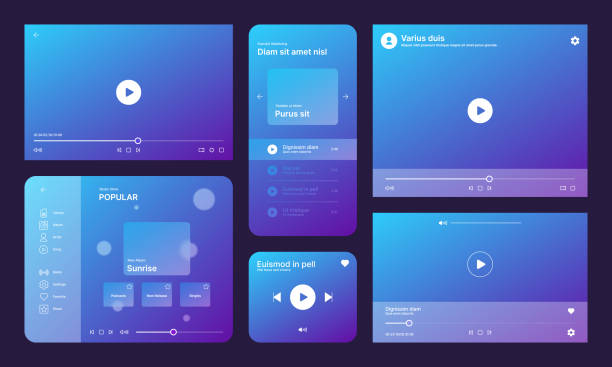
Before Figma became so popular, many people looked to Adobe XD, well, because it was under the Adobe umbrella, and Adobe is known to everyone as an absolute giant in the world of design software. XD came along to offer an integrated solution for UI/UX design, especially for those who had previously worked with Photoshop, Illustrator, and other Adobe tools. It had a familiar feel, you know what I mean?
XD is excellent for creating wireframes, designing, and prototyping. Its key features, like Repeat Grid, which allows you to quickly duplicate and modify elements, or Auto-Animate, which lets you create simple but impactful animations, really speed up the workflow. One of its strengths is its deep integration with other Adobe products like Photoshop and Illustrator. This means if you create a logo in Illustrator, you can easily bring it into XD and use it without any hassle. This is a tremendous advantage for those immersed in the Adobe ecosystem.
Of course, there are some points to consider. For example, its real-time collaboration capabilities are not as robust as Figma’s, but it does offer sharing and feedback options. For those who are already familiar with Adobe software and want a comprehensive tool for UI/UX design, XD is a very good choice. On the other hand, if you’re simultaneously using Adobe tools for visual content creation and brand identity, this synchronization can be very beneficial.
While the competition among tools is intense, Adobe XD still holds its ground, especially for those seeking integrated and harmonious solutions with their other graphic design tools. Rasaweb Afarin always considers the importance of this integration in larger projects to ensure the design and development team’s workflow is as smooth as possible.
🖥️ Sketch: Pioneer in Mac Design
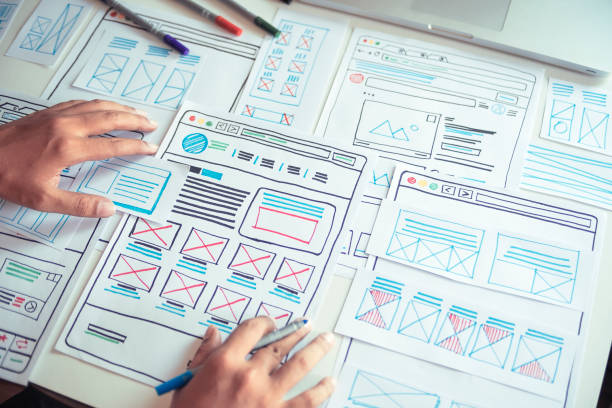
Years ago, before Figma or even XD made such a splash, if you wanted a professional designer working on a Mac, they probably had Sketch in their hands. Sketch was somewhat of a pioneering tool for interface design and managed to establish many concepts that we now see in other software. Of course, you need a Mac to work with it, which is a limitation, but for the Mac user community, it’s a huge advantage because its user experience is completely optimized for Apple’s operating system.
What made Sketch special was its vector-based approach and lightweight nature. Unlike Photoshop, which was heavy and designed for photo editing, Sketch was built from the ground up for UI and UX design. This means its tools and features perfectly suited the needs of interface designers.
Key features of Sketch include:
• Symbols and Shared Styles: Helps create a consistent design system, where changing one symbol updates it everywhere in the project.
• Abundant Plugins: The Sketch user community has always been active, offering thousands of plugins to add new functionalities.
• Integration with prototyping tools: While it has internal prototyping, it also works very well with external tools like InVision or Marvel.
For years, Sketch served as the gold standard for UI design on Mac. Many experienced designers remain loyal to it because they are comfortable with it and achieve high speed. If you are a Mac user and looking for a lightweight, powerful tool with a vibrant user community that focuses entirely on UI design, Sketch is an excellent option. Rasaweb Afarin also certainly includes Sketch among its options for UI/UX design projects where the client prefers and is more comfortable with Mac tools. It’s a classic tool for designers who want to create high-quality and precise work.
Is your Instagram content creation time-consuming and ineffective? Rasaweb Afarin makes your presence on this platform distinctive and high-yielding with professional Instagram content creation!
✅ Designing and implementing an engaging content calendar
✅ Producing creative posts, stories, and reels
✅ Increasing engagement, likes, and comments on your page
⚡ Entrust your Instagram content to us and see the results! (09124438174)
✨ InVision Studio: Beyond Prototyping
When the name InVision comes up, many people first think of its prototyping and collaboration tools. And they’re right; InVision was for years the primary platform for building interactive prototypes and gathering feedback for designers. But with the introduction of InVision Studio, the company went a step further and entered the realm of fundamental UI/UX design.
InVision Studio was launched with the goal of being a comprehensive solution for design, advanced prototyping, and animation. What distinguishes this studio is its powerful animation capabilities. You can create very smooth and natural transitions between screens, which, of course, greatly contributes to the user experience and gives the prototype a sense of realism. Few tools in this area can rival InVision Studio.
Imagine being able to accurately simulate the feeling a user will have when using your app or website, even before any coding is done. This means a deeper understanding of the user flow and, of course, more precise feedback from stakeholders.

Click here to preview your posts with PRO themes ››
Although InVision Studio didn’t capture as much market share in design as Figma or even Sketch, it remains an excellent option for those with a particular focus on animation and engaging transitions in prototypes. InVision’s user community is still large, and its complementary tools for collaboration and sharing are very strong. If your work requires you to create interactive and animated prototypes that feel like a final product, you should definitely try InVision Studio.
Rasaweb Afarin always pays attention to the details of the user experience in its website and application design and knows that correct animations and transitions can make a big difference in user satisfaction. Therefore, tools like InVision Studio, which focus on these points, are always of interest to us.
🌍 Other Attractive Options for Getting Started: From Mural to Axure
Well, so far we’ve talked about the main giants of UI/UX design. But this doesn’t mean there aren’t other options for getting started or even for more specific tasks. No, the world of digital design is much broader than that. It’s like a big kitchen with many tools, each for a different job. Sometimes you might need a specific tool that those giants can’t handle as well.
One of these interesting options is Mural and Miro. These are mostly useful for team collaboration, brainstorming, customer journey mapping, and collaborative design in the early stages of a project. That is, before you even start visual design, you can implement ideas here. They’re like digital whiteboards where a team can work together, stick sticky notes, draw charts, and generally cover the initial analysis and planning phase very well. Rasaweb Afarin, in its optimization consulting and website development, places great importance on the initial research and ideation phases and considers tools like these very useful for user experience design.
Next up is Axure RP. This one is different. Axure is primarily designed for creating complex and interactive prototypes. If you need to build a prototype that works almost like a real application, with lots of conditions and complex logic, Axure is second to none. Of course, its learning curve is a bit steeper and might be challenging for beginners, but if you’re interested in high-fidelity prototypes with advanced interactions, take a look at it. Such tools are very useful for larger projects that require deeper user testing.
There are also options like ProtoPie for creating realistic prototypes with control over device sensors, and Marvel, which is a simple and fast tool for prototyping and user testing. Each of these has its own strengths and can be good options depending on the type of project and your skills. The important thing is that in the world of UI/UX design, no tool is “alone,” and there are always many options to choose from.
📈 Choosing the Right Path to Your Success: Key Tips from Rasaweb Afarin

Well, by now you’ve become familiar with some of the best UI/UX design software, from Figma, which is everywhere, to Sketch, which is an old love for Mac users. But now the fundamental question is: Which one should I choose? The truth is that the answer to this question varies for everyone, like choosing between an SUV and a sedan; each is made for a specific lifestyle and need.
From the perspective of Rasaweb Afarin, which has extensive experience in optimization consulting and website development, there are several factors that can help you in this decision-making process:
| Factor | Explanation | Suggested Tools |
|---|---|---|
| Experience Level | If you’re a beginner, choose a tool with a simpler interface and more learning resources. | Figma, Adobe XD |
| Project Needs | Are you working on a website or an app? Do you need complex prototyping? | Figma (web), Sketch (Mac), Axure (complex) |
| Teamwork | How important is real-time collaboration and sharing in the project? | Figma (very strong), Miro/Mural (early collaboration) |
| Budget | Free/freemium tools versus subscription-based tools. | Figma (free version), Adobe XD (subscription) |
| Platform | Do you have a Mac or Windows? Web-based tools are more flexible. | Figma (web/cross-platform), Sketch (Mac) |
Remember, the best designers don’t limit themselves to a single tool. They know various tools and use them according to project needs. For example, they might start the ideation phase with Mural, then move to Figma for UI/UX design, and finally complete the prototype in InVision.
The point that Rasaweb Afarin always emphasizes is that “a tool is just a tool.” What truly matters are your skills, your understanding of user experience principles, and your ability to solve user problems. The more you focus on user understanding, design psychology, and visual principles, regardless of the tool you use, the more brilliant your work will be. So, after an initial review, choose one, become proficient in it, and then gradually learn the others. This is the best way to become a star in the world of UI/UX design.
🚧 Challenges and Opportunities on the Path to Becoming a UI/UX Designer

Alright, so far we’ve discussed the best UI/UX design tools and provided a lot of practical information. But, this journey isn’t just about software and its features. Becoming a good designer goes beyond merely working with tools. On this path, like any other, there are certain challenges and opportunities, and if you’re aware of them, you can navigate much better.
One of the biggest challenges is keeping pace with rapid industry changes. The world of user experience design is constantly evolving; every day, a new trend emerges, a new technology is introduced. If you don’t keep yourself updated, you’ll quickly fall behind others. This is where the importance of continuous learning reveals itself.
The next challenge is effective communication with the team and clients. You might create a design masterpiece, but if you can’t present it well or can’t communicate with developers and product managers, that design might never come to fruition. Soft skills in this field are as important as technical skills.

Click here to preview your posts with PRO themes ››
But then, the opportunities are also outstanding. One of the biggest opportunities is the high demand in the job market. With the expansion of digital marketing and website and application development, every business needs an excellent user experience. This means the job market for UI/UX designers is truly hot. Rasaweb Afarin, in its website and application design section, is always looking for talented individuals in this field.
Another opportunity is the direct impact on people’s lives. When you design a good user interface, you are effectively making people’s lives easier and more enjoyable. This sense of participation and impact is a huge motivation for many designers.
So, if you want to enter this field, be ready for the challenges, but also think about the countless opportunities. With perseverance, curiosity, and a dose of creativity, you can truly shine on this path and create exciting works.
**45**
Does your business need high-quality and targeted leads? Rasaweb Afarin identifies and prepares interested audiences for your services or products by designing and executing lead generation campaigns.
✅ Design attractive landing pages and effective forms.
✅ Increase the number of quality leads and new sales opportunities.
With Rasaweb Afarin, launch your lead generation machine!
🤖 The Future of UI/UX Design and the Role of Artificial Intelligence

Okay, we’ve reached the point where we want to look at the future. So far, we’ve seen how important UI/UX design is and what tools are available to get started. But what will this field really look like in ten years? To be honest, Artificial Intelligence (AI) is disrupting all equations, and this field is no exception.
Some might think AI will come and replace designers. Well, no! That’s not it at all. I look at it this way: AI is like a very, very smart assistant that comes to relieve us of repetitive and time-consuming tasks. Imagine, you no longer need to spend hours arranging pixels or choosing a color palette. AI-powered tools can generate initial designs for you, or even suggest optimal layouts by analyzing user data. This means designers will have more time to focus on more strategic issues, solving complex problems, and, of course, pure creativity.
The role of AI in user experience design will become much broader. It can suggest more personalized user experiences by analyzing user behavior. For example, for a specific user, it might change the color of buttons or adjust the order of elements based on their preferences. This means “adaptive user experience,” which was just a dream until now, is becoming a reality.
Rasaweb Afarin, which is active in the field of artificial intelligence and AI agent development, knows well that these changes are inevitable and we must be prepared for the future. This is an opportunity for designers to strengthen their skills in design thinking, problem-solving, and understanding user psychology, because no AI can completely replace these things. The future of UI/UX design looks brighter and more exciting than ever; we just need to be ready to embrace these changes and ride the wave of artificial intelligence.
| Question | Answer |
|---|---|
| Why is UI/UX design important for businesses? | Good UI/UX design increases user satisfaction, leads to higher conversion rates, and builds customer loyalty. Poor user experience drives users away. |
| What tool do you recommend for starting UI/UX design? | For beginners, Figma is an excellent and leading option due to its significant free features, easy learning curve, and real-time collaboration. |
| Do I necessarily need a Mac to work with these software programs? | No. Software like Figma and Adobe XD work on both Mac and Windows operating systems. Sketch is only for Mac. |
| What is the main difference between UI and UX? | UI (User Interface) relates to the visual and interactive appearance of the product (e.g., buttons, colors, fonts). UX (User Experience) deals with the overall feeling a user has while using the product (e.g., comfort, efficiency, pleasure). |
| Are there free tools for UI/UX design? | Yes, the free version of Figma is very powerful and completely sufficient for starting personal or small projects. Trial versions of other software are also available. |
| How long does it take to learn these software programs? | The learning time depends on your perseverance and background. However, with 2 to 3 months of consistent practice, you can reach a respectable level. |
| What is the role of Rasaweb Afarin in UI/UX design? | Rasaweb Afarin helps businesses provide an professional and engaging UI/UX design for their customers, adhering to E-E-A-T principles, which ultimately leads to business growth. |
| How can I improve my UI/UX skills? | You can improve your skills through continuous learning, practical exercise, getting feedback from experts, and following daily trends. |
| Will AI replace UI/UX designers? | No, AI will be an assistant tool for designers, handling repetitive tasks and allowing designers to focus on creativity and solving complex human problems. |
| How important is budget when choosing software? | Very important. If you have a limited budget, Figma’s free version and similar tools are the best starting point. Later, as your experience and needs grow, you can move to paid tools. |
And other services of Rasaweb Afarin Advertising Agency in the field of advertising:
• SEO for Snippets and Featured Snippets
• B2B Content Marketing
• YouTube Shorts Advertising Campaigns
• UI Design for 404 Pages
• Development of AI solutions for discovering purchasing patterns
and over a hundred other services in the field of internet advertising, advertising consulting, and organizational solutions
Internet Advertising | Advertising Strategy | Advertorials
Don’t miss growth opportunities in a crowded market! We uncover hidden treasures through precise data analysis. ✅ Discover new opportunities.
✉️ info@idiads.com
📱 09124438174
📞 02126406207
📍 Tehran, Mirdamad Street, next to Bank Markazi, Kazerun Jonubi Alley, Ramin Alley, No. 6





