✨ An Introduction to the World of Web Design and Development Tools

# Do you remember how difficult website design used to be? Just one wrong line of code, and the whole site would fall apart, taking hours to find the bug. Well, times have changed, and to be honest, the web isn’t so empty anymore that you can work with just a Notepad and an empty browser. Now, if you’re going to build a professional website, design a decent application, or even just optimize existing sites to rank higher in search engines, you’ll be seriously struggling without a set of serious and efficient tools. The truth is, tools are like our helping hands; the stronger and more precise they are, the more complex and higher-quality work we can do.
Our team at Rasavab Afarin, which has been active for years in this complex digital marketing and web development market, has always emphasized using the best. Why? Because the quality of your work directly depends on the tools you use and, of course, the knowledge you possess. A web designer or developer, if they want to make a statement in this intense market competition in Tehran or any other city in Iran, must be well-equipped. This equipping doesn’t just mean technical knowledge; it also includes recognizing and utilizing tools that smooth the path, reduce errors, and significantly increase productivity.
Google’s E-E-A-T principles, which have made a lot of noise recently, emphasize Experience, Expertise, Authoritativeness, and Trustworthiness. These four factors aren’t just for content; they also apply to the person behind the content and the website. When you use standard and globally recognized tools, you are, in fact, demonstrating your credibility and expertise. You’re showing that you’re up-to-date and use the best methods in the world. This way, you not only advance the project better but also deliver a result that stands head and shoulders above the rest. In this article, we’re going to get to the bottom of the matter and reveal 10 of these essential tools that every web specialist should have up their sleeve. These tools cover everything from the basics of coding to the intricacies of visual design and optimization.
💻 Code Editor; A Kingdom for Creativity

Well, we arrive at the starting point for every developer or website designer; that is, the code editor itself. This trusted companion of ours is actually the digital canvas upon which all our ideas and logic are implemented. Without a good code editor, it’s like trying to build a tall building with bare hands. It might be possible, but how long would it take, and how full of errors would it be? That’s why choosing a suitable code editor is the first and vital step that, if not taken correctly, makes the whole journey difficult.
In this market, there are many code editors, but Visual Studio Code (VS Code) shines like a star. Why? Because it’s free, very lightweight, and has incredible customization capabilities. From various extensions for different programming languages to themes and keyboard shortcuts that you can configure yourself. For example, for us at Rasavab Afarin, who work with both front-end and back-end, and also have a lot of SEO and optimization tasks that require code manipulation, VS Code is like a sharp double-edged sword. We can open multiple projects simultaneously, execute commands with its integrated terminal, and even connect directly to servers with special extensions. This means increased productivity and reduced development time, something that is truly felt in large projects.
Imagine you’re working on a website design project with WordPress. With VS Code, you can easily edit PHP, CSS, and JavaScript files, benefit from auto-completion (IntelliSense) to reduce typos, and keep your code clean and standard with linting extensions. All this means that you not only write cleaner code, but this code is also more maintainable and collaborative. Remember this, coding is not just writing, but also maintenance and collaboration. VS Code gives you all these features in a compact package. To be honest, if you’re still using an old code editor, now is the time to take a look at VS Code. A small change in your tools can create a big leap in the quality and speed of your work.
Are you looking for innovative solutions to advertise your products and services in the digital space? With Rasavab Afarin’s internet advertising services, we implement comprehensive and targeted strategies to make your brand shine in the online world and increase your sales!
✅ Creative and effective campaign design
✅ Precise audience targeting across different platforms
✅ Continuous evaluation and optimization for maximum return
Contact us today for a free consultation! 09124438174
🔄 Git and GitHub; Guardians of Your Code

Every developer, or every website designer who has a hand in coding, has surely experienced the unpleasant loss of a part of their code. Or worse, working with several people on a project and then finding that you’ve erased each other’s changes! This is where Version Control comes to our aid. And in this field, Git acts like a savior.
Git is a distributed version control system. What does this mean? It means that everyone working on the project has a complete copy of the entire project history on their system. This way, if, God forbid, the central server goes down, nothing happens to your code. Git allows you to track changes, manage different versions, and easily switch between them. Imagine, you made a big change and the site went down. With Git, with just a simple command, you can revert to the previous version where the site was working correctly. This means peace of mind!
Now, what are GitHub or GitLab? These are platforms that host your Git repositories online. In fact, Git is a tool installed on your system, and GitHub is a cloud service that allows you and your team to collaboratively manage code, work together on projects, and view and merge each other’s changes. For a website design and web development team like ours at Rasavab Afarin, GitHub is like the heart of the project. All our codes are there, the history of changes is clear, and we can review the codes to ensure everything is progressing according to standards.
This tool not only helps large teams but is also incredibly useful for a solo developer. You can always go back and see what changes you made on a certain date, or if a bug is found, you can pinpoint exactly when and with what change it originated. This means complete transparency and unparalleled traceability that cannot be found in any other method in this way. Using Git and hosting platforms like GitHub is no longer an option, but a necessity for anyone who wants to work professionally.

Click here to preview your posts with PRO themes ››
| Feature | Git | GitHub |
|---|---|---|
| Type | Version Control System (Execution location: Local) | Repository Hosting Platform (Execution location: Cloud) |
| Main Function | Tracking code changes, managing versions | Team collaboration, code hosting, code review |
| Operational Model | Command Line Interface (CLI) | Graphical User Interface (GUI) |
| Special Features | Branching, Merging | Pull Requests, Issues, Public/Private Projects |
🔍 Browser Developer Tools; The Hidden Toolbox
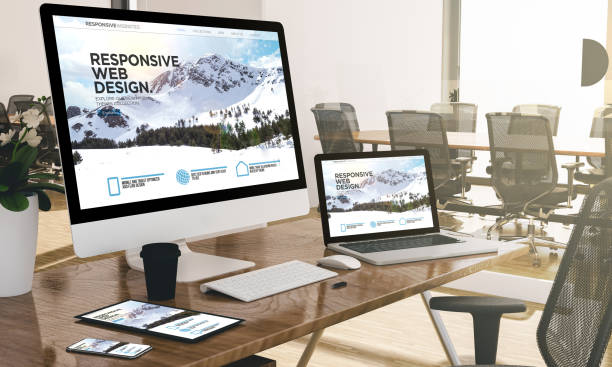
If I said that almost half of website design and debugging tasks are done by these internal browser tools, I wouldn’t be lying. These tools really are like a magic toolbox that’s always with you, and all you have to do is press F12 or right-click and Inspect to unlock a world of information and capabilities. It doesn’t matter if you’re using Chrome, Firefox, or Edge, all modern browsers have an incredible set of developer tools.
With these tools, you can view the HTML structure of a page, change CSS styles in real-time and see the result right there, debug JavaScript code and set breakpoints, and inspect network requests to see which files are loading slowly or what server errors have occurred. Imagine you’re working on a responsive website design project. With browser developer tools, you can easily simulate screen sizes to see how your site looks on different phones and adjust styles right there. This means unparalleled speed in testing and development.
For us at Rasavab Afarin, these tools are among the first things we turn to, especially when we’re working on SEO optimization and site performance. We can see which files are not compressed, which images are too large, or which scripts are slowing down page execution. We can even see the steps the browser takes to fully load a page. In fact, these tools are essential not only for developers but also for SEO and content marketing specialists who want to examine site behavior from the user’s and search engine’s perspective.
Remember, no matter how complex or expensive tools you have, these internal browser tools are always at hand and free, and can give you the deepest insights into site behavior instantly. Mastering these tools is one of the hallmarks of a professional developer or web designer. If you are not yet fully familiar with them, I recommend starting to learn them right now.
🎨 Figma and its Colleagues for Creating Visual Experiences
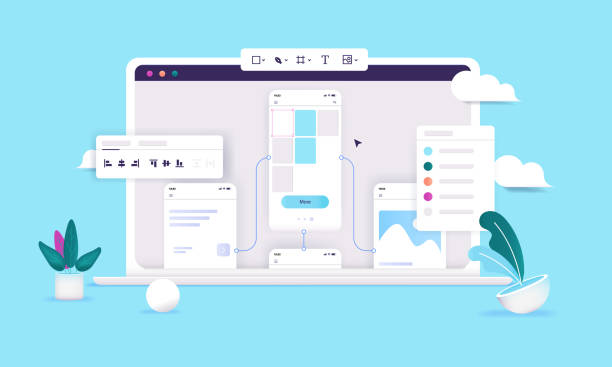
Alright, so far we’ve talked about coding and code management tools. Now let’s take a step back and talk about where everything takes shape: User Interface (UI) and User Experience (UX) design. Before even a single line of code is written, a professional website designer implements all the visual details and how the user interacts with the site on paper, or rather, using digital design tools.
Tools like Figma, Adobe XD, or Sketch, are essentially digital studios where designers can create wireframes, mockups, and interactive prototypes. This way, before the development team spends a lot of time and energy coding, we can get the necessary feedback from the client and solve all potential problems in the design phase. Figma, in particular, has gained a lot of popularity in recent years for several reasons.
Why is Figma so good? Firstly, it’s completely web-based. This means you don’t need to install anything; you can work with it using just a browser. This means it no longer matters where your design team is in the world or what system they use; everyone can work on the same file simultaneously. It’s like Google Docs for design! This unparalleled collaboration capability is vital for teams like Rasavab Afarin, who have an agile approach and require instant coordination between designers and developers. When we start a website design from scratch, the client can directly comment on the design file in Figma, suggest changes, and we can implement them immediately.
Secondly, Figma’s design tools are very powerful and user-friendly. From creating complex icons to designing complete Design Systems and reusable components. This ensures that everything is integrated and consistent, from buttons to forms and fonts. The result? A beautiful, consistent user interface and a smooth user experience. Ultimately, if you want to create a website design that is both attractive and functional, and can be converted into code with minimal problems, mastering tools like Figma is no longer a luxury skill, but an essential and necessary one.
Do you want to optimize your Google advertising campaigns? Rasavab Afarin, with professional Google ad campaign management, brings you the best results with the lowest cost!
✅ Selecting high-performing keywords
✅ Precise audience and geographical targeting
✅ Transparent reporting and continuous optimization
Benefit from the maximum potential of Google Ads with us!
🚀 Project Management Tools; The Driving Force of Your Team
A website design or application development project is a full-fledged team effort. Behind the scenes, there’s a lot of planning, coordination, task delegation, and follow-up. If this section isn’t managed correctly, even the smartest and most skilled teams might get lost along the way, miss deadlines, and their work quality might drop. This is where project management tools come into play; just like precise navigation for the project ship.
Tools like Jira, Trello, Asana, or even Microsoft’s internal tools, help teams define tasks, assign them to members, track progress, and most importantly, keep communications centralized and transparent. At Rasavab Afarin, where we work on diverse projects from SEO and content marketing to website design and application development, having a strong project management system is a vital principle.
For example, with Jira, we can manage the entire software development lifecycle; from defining client requirements (User Stories) to discovered bugs and testing phases. We can track each stage with separate tickets, assign a responsible person to each ticket, and estimate the time required for its completion. This ensures that nothing is missed and everyone is aware of the project status. The team working on the front-end of a website knows exactly what components to deliver by when, and the back-end team also knows what APIs need to be prepared. This coordination, especially in large projects with many team members, prevents chaos and rework.

Click here to preview your posts with PRO themes ››
Even for a freelance website designer, using a simpler and more visual project management tool like Trello can help them better organize their work and not miss deadlines. These tools are not just for task management, but also very important for managing client expectations and creating transparency in the development process. Clients can also have access to parts of these systems and see what stage their project is in. This means more trust and more effective communication.
📈 Why Performance and SEO Testing Are Top Priorities?
Well, you’ve designed the site, written the code, and everything works perfectly on your system. But is it really that good for users and search engines? This is where performance and SEO testing tools come in. Suppose a website designer has created a visual masterpiece, but the site takes five seconds to load. Do you think a user will stay? Or will Google give it a good ranking? Absolutely not! Speed and user experience are no longer just an advantage today; they are a necessity.
Tools like Google Lighthouse and GTmetrix act like a third eye. These tools examine your site from various aspects such as Performance, Accessibility, Best Practices, and SEO and give it a score. More important than the score, these tools also provide practical suggestions for improvement. For example, they tell you which images to compress, which CSS files to minify, or what HTML tags you should add for better accessibility.
For us at Rasavab Afarin, where SEO and website optimization services are among our core pillars of work, these tools are used daily. When we take on a website design project or develop one from scratch, we first evaluate its quality with these tools. Improving Lighthouse and GTmetrix scores directly means improving user experience and, consequently, better rankings in Google. This translates to attracting more traffic and, ultimately, more sales for the client’s business.
No professional website designer should ignore this stage. The site must be fast, work well on all devices, and be usable by everyone. These tools ensure that you are delivering a product that is not only visually appealing but also technically strong and compliant with modern web standards. Learning and continuously using these tools are an inseparable part of professional web development process.
📊 Mastering SEO with Powerful Google Tools and Beyond

Well, now that our site is designed and developed, and optimized for performance, it’s time for it to be seen! This is where SEO (Search Engine Optimization) plays a key role. Without SEO, even the best website design is like a luxury shop in a dead-end alley; it might be beautiful, but no one will find it. SEO tools are our guides on this complex path.
First of all, we have Google’s own tools. Google Search Console is a black box of information about how Google interacts with your site. With it, you can see which keywords your site ranks for, which pages have indexing issues, how many links point to your site, and a lot of other information that is golden for every website designer and SEO specialist. Google Analytics needs no introduction; a powerful tool for tracking user behavior on the site, from the number of visits to popular pages and the customer conversion path.
But SEO isn’t just Google’s tools. There are also paid and very powerful tools that help you go a step further. Ahrefs and SEMrush are two of the most famous in this field. These tools can provide deep analyses of competitors, high-volume keywords, inbound and outbound link profiles, and even top content in your industry. For example, if we want to start a content marketing campaign for a client at Rasavab Afarin, we first conduct keyword research with these tools to know exactly what users are searching for and what their needs are.
These tools help the website designer and developer optimize site code for SEO (e.g., ensure H1 to H6 tags are used correctly, images have Alt tags, and loading speed is appropriate), and to SEO specialists, they allow building content and link-building strategies based on accurate data. In fact, these tools are the bridge between clean code and visibility in the crowded world of the internet. Without mastering these tools, even the strongest website design might be buried under piles of other sites.
| Tool | Main Use | Type (Free/Paid) |
|---|---|---|
| Google Search Console | Site SEO performance in Google, indexing errors | Free |
| Google Analytics | Traffic and user behavior analysis | Free (Basic Version) |
| Ahrefs | Competitor analysis, backlinks, keyword research | Paid |
| SEMrush | SEO, advertising, content, competitor analysis | Paid |
| Google Keyword Planner | Keyword research | Free (with Google Ads account) |
📚 Education and Documentation; The Endless Fuel of Knowledge
The world of website design and web development is a dynamic and ever-changing one. What is considered a trend and the best solution today might be obsolete tomorrow. Frameworks come and go, programming languages are updated, and new standards are defined. In this boundless ocean of information, how can we always stay updated and keep our knowledge fresh? Well, this is where education and documentation tools come into play.
First and foremost, official documentation. For every programming language, every framework, and every tool you use, there are official documents. For example, MDN Web Docs (Mozilla Developer Network) is like a complete library for HTML, CSS, and JavaScript, explaining everything from the ground up. These documents are reliable and primary sources for learning how to work with technologies. We should never neglect reading documentation, because often the answers to our most complex questions are hidden there.
Next, we have online communities like Stack Overflow. Every website designer or developer has surely encountered this site. This is where you can ask your questions and benefit from the experience of thousands of other developers around the world. Often, we encounter a problem that we think only we are struggling with, but with a simple search on Stack Overflow, you’ll find that thousands of others have faced the same issue before, and a solution has already been found. This means huge savings in time and energy.

Click here to preview your posts with PRO themes ››
And finally, online learning platforms. Websites like Udemy, Coursera, Pluralsight, or even Iranian platforms like Faranesh and Top-Ler, are full of high-quality training courses in every field. From advanced React tutorials to in-depth topics on SEO and digital marketing. For a team like Rasavab Afarin that is always looking to update its team’s knowledge and skills, these platforms are a gold mine. One should never stop learning. Knowledge and skill are the two wings of flight in the fast-paced world of the web. The more you learn, the more powerful your tools become and the more effective your use of them will be.
Why doesn’t your website provide a pleasant user experience for visitors? Rasavab Afarin, with advanced UX/UI design, transforms your website and application into a powerful tool for attracting and retaining customers.
✅ Increased user satisfaction and retention time
✅ Beautiful and efficient visual design
✅ Improved conversion rates and online sales
Contact 09124438174 to revolutionize your website’s user experience!
🗣️ Communication Tools; Linking Teams and Clients
A website design or application development project is a complete team effort. Different teams (design, development, SEO, marketing) must be in communication with each other, and more importantly, they must be in continuous contact with the client. If communication is weak, misunderstandings increase, errors occur, and ultimately the project faces problems. Communication tools are the invisible thread that connects everyone and ensures information flows smoothly and without interruption.
Tools like Slack, Microsoft Teams, or Google Meet are, in fact, our virtual offices. With these tools, we can chat, make voice and video calls, share files, and create different channels for various projects or teams. For example, at Rasavab Afarin, we have a dedicated channel for each website design project. All team members, from developers to SEO experts, are present in that channel. This way, when an SEO specialist needs to change a meta tag, they can directly message the developer, and the change is implemented immediately. This means reduced response time and increased work speed.
Beyond internal team communications, communication with the client is also extremely important. The client should feel involved in the project and be able to contact the team whenever they wish. Tools like Google Meet or Zoom are excellent for online meetings with clients. We can talk to clients visually, show them project progress, and get their feedback. This transparency in communication builds client trust and makes them more satisfied with the outcome. Remember, a satisfied client is the best advertisement.
Finally, these tools are not just for chatting. Many of them have integration capabilities with other tools like GitHub or project management tools. For instance, you can set it up so that whenever a new change is made in GitHub, or a task is completed in Jira, a message is sent to the team’s Slack channel. This means unparalleled connection and coordination, which is vital for any team wanting to work professionally in today’s world.
| Question | Answer |
|---|---|
| 1. Why is a good code editor essential for every web designer? | A good code editor increases productivity, reduces errors through features like auto-completion and syntax highlighting, and allows for customization of the working environment, all of which impact the speed and quality of website design. |
| 2. What is the role of Git in web design projects? | Git is a version control system that allows designers and developers to track code changes, revert to previous versions, and collaborate on a project as a team, which prevents code loss and conflict of changes. |
| 3. How do browser developer tools help designers? | These tools provide real-time debugging for HTML, CSS, and JavaScript, allow testing of website responsiveness on different screen sizes, and enable performance optimization and network request inspection. |
| 4. Why are UI/UX design tools like Figma important? | Tools like Figma allow designers to create wireframes, mockups, and interactive prototypes before coding, which facilitates team collaboration, simplifies client feedback, and resolves design issues in early stages. |
| 5. What are the benefits of using project management tools in web development? | These tools help organize tasks, assign responsibilities, track progress, and improve team and client communications, ultimately leading to timely and high-quality project delivery. |
| 6. What role do website performance testing tools play in a site’s success? | Tools like Google Lighthouse and GTmetrix evaluate website loading speed, accessibility, and technical quality, and provide solutions for improvement. High speed and technical optimization are crucial for user experience and SEO ranking. |
| 7. What capabilities does Google Search Console provide for SEO specialists? | This tool offers valuable information about Google’s interaction with the site, ranked keywords, indexing errors, and backlinks, which is essential for SEO strategy and improving site visibility in search results. |
| 8. How can we always stay updated in the ever-changing world of the web? | By studying official documentation (like MDN), participating in specialized communities (like Stack Overflow), and using online learning platforms, we can keep our knowledge and skills up-to-date. |
| 9. What is the importance of communication tools in team projects? | Tools like Slack and Microsoft Teams make internal team and client communications transparent and centralized, prevent misunderstandings, and improve coordination between different parts of the project. |
| 10. How do AI and automation help designers and developers? | AI assists with coding, debugging, and content generation through tools like GitHub Copilot, and automation significantly increases productivity by automating repetitive tasks (like testing and deployment), allowing teams to focus on creative work. |
=
And other advertising services of Rasavab Advertising Agency
• Development of smart reporting tools
• Partnership Marketing
• Market trend analysis and forecasting
• Creation of responsive sliders and advertising banners
• Advertising campaigns for applications
And over hundreds of other services in the field of internet advertising, advertising consultation, and organizational solutions
Internet Advertising | Advertising Strategy | Advertorials
Are you looking to expand your business geographically? We identify the best regions for your growth. ✅ Identifying the best expansion areas
✉️ info@idiads.com
📱 09124438174
📞 02126406207
📍 Tehran, Mirdamad Street, next to Bank Markazi, Southern Kazeroun Alley, Ramin Alley No. 6