
## Comprehensive UI/UX Design Guide to Enhance Customer Experience
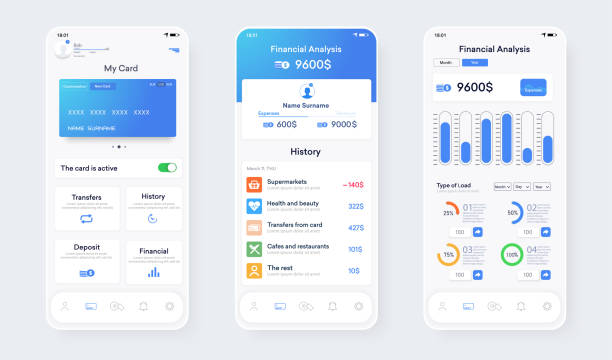
Today, #User_Experience (UX) and #User_Interface (UI) have become two vital elements for the success of any business. It is no longer enough to just provide a quality product or service; you must also ensure that your customers have a pleasant and hassle-free experience interacting with your brand. Rasaweb Afarin, with expertise in the fields of Internet Marketing, Website Optimization, and UI/UX Design, helps you in this article to take effective steps towards improving the customer experience by gaining a deeper understanding of the importance of UI/UX Design.
This guide, with an educational approach, examines the various aspects of UI/UX Design and provides you with practical tips and techniques. Whether you are the owner of a small business or the marketing manager of a large company, this article can help you better understand your customers’ needs and provide a distinctive and memorable experience. Our focus is on increasing your website’s conversion rate, improving customer satisfaction, and ultimately achieving greater success by using the principles of UI/UX Design.
In this guide, we will examine the basic concepts of UI/UX Design, the design process, the tools and techniques used, as well as successful examples of implementing these principles. We will also show you how you can create a better and more valuable experience for your customers by constantly evaluating and improving UI/UX Design. Join Rasaweb Afarin as we embark on an exciting journey into the world of UI/UX Design!
🤔 UI vs UX: Understanding the Key Differences
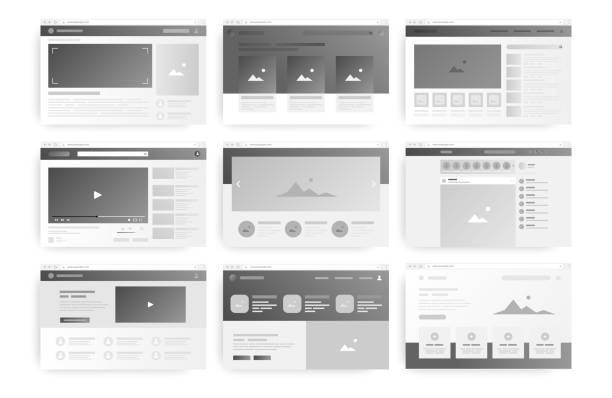
Often, the terms #UI and #UX are used interchangeably, but in reality, they are two distinct areas that complement each other. Understanding the key differences between the two is essential for any business looking to provide an excellent user experience. UI/UX Design are both very important parts of being seen by any online business.
User Interface (UI) Design deals with the appearance and feel of a digital product or service. This includes visual design, typography, colors, icons, and other graphic elements that users interact with. The main goal of UI/UX Design is to create an attractive, beautiful, and easy-to-use user interface.
In contrast, User Experience (UX) Design focuses on the entire user experience of interacting with a product or service. This includes researching user needs and wants, designing user flows, creating prototypes, and conducting usability tests. The main goal of UI/UX Design is to create an enjoyable, effective, and meaningful user experience.
In simpler terms, UI relates to appearance and UX relates to feeling. A beautiful user interface can be attractive, but if it is difficult to use, it will create an undesirable user experience. Likewise, a great user experience can be effective, but if its user interface is ugly and confusing, it still cannot satisfy customers. Therefore, to provide an exceptional user experience, both optimized UI/UX Design are needed.
Rasaweb Afarin, by providing comprehensive UI/UX Design services, helps you to have both an attractive user interface and provide an enjoyable user experience for your customers.
Does your business need a strong infrastructure consultation? Rasaweb Afarin guarantees the stability and security of your IT systems by providing infrastructure consultation.
✅ Designing and implementing sustainable infrastructures
✅ Improving the performance and scalability of systems
✅ Reducing security and operational risks
Consult with us today for a reliable infrastructure!
🔍 UI/UX Design Process Step by Step
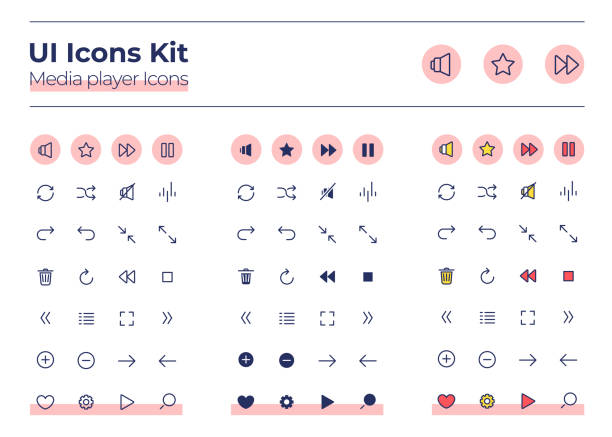
UI/UX Design is an iterative and collaborative process that involves several key steps. In this section, we will examine these steps step by step to familiarize you with how to carry out a successful UI/UX Design project.
1. Research and Analysis The first step in the UI/UX Design process is to deeply understand the needs and wants of users. This includes conducting market research, interviewing users, analyzing data, and examining competitors. The goal of this step is to gather enough information to create a clear picture of the target audience and their needs. In this step, the necessary strategies regarding website design are also determined. By using Rasaweb Afarin’s Google Keyword Research services, you can find the needs of users and start the design process according to those needs.
2. Wireframe and Prototype Design After gathering information, it is time to design wireframes and prototypes. A wireframe is a preliminary design of the user interface that shows the structure and layout of the main elements. A prototype is an interactive version of the user interface that allows users to simulate the experience of working with a product or service before its full development.
3. Visual Design In this step, wireframe and prototype designs become beautiful and attractive using visual elements such as colors, fonts, icons, and images. The goal of visual UI/UX Design is to create a user interface that is not only beautiful but also reflects the brand identity.

Click here to preview your posts with PRO themes ››
4. Testing and Evaluation After visual design, it is time to test and evaluate the user interface. This includes conducting usability tests, collecting user feedback, and analyzing data. The goal of this step is to identify and fix potential problems in UI/UX Design and ensure that the user interface is easy and enjoyable for users.
5. Implementation and Optimization Finally, the user interface is developed and implemented. After implementation, it is important to continuously monitor and evaluate the performance of the user interface and optimize it if necessary. UI/UX Design is an ongoing process and can always be improved.
Rasaweb Afarin, with an experienced and expert team, will be with you in all stages of the UI/UX Design process and will help you create an exceptional user experience for your customers.
| Step | Description | Goal |
|---|---|---|
| Research and Analysis | Gather information about users, competitors, and the market | Understand the needs and wants of users |
| Wireframe and Prototype Design | Create a preliminary design and an interactive version of the user interface | Determine the structure and layout of the main elements |
| Visual Design | Beautify the user interface using visual elements | Create an attractive user interface that matches the brand identity |
| Testing and Evaluation | Check the usability of the user interface and collect feedback | Identify and fix potential problems |
| Implementation and Optimization | Develop and implement the user interface and continuously optimize it | Provide an exceptional user experience |
Key Tools and Techniques in UI/UX Design
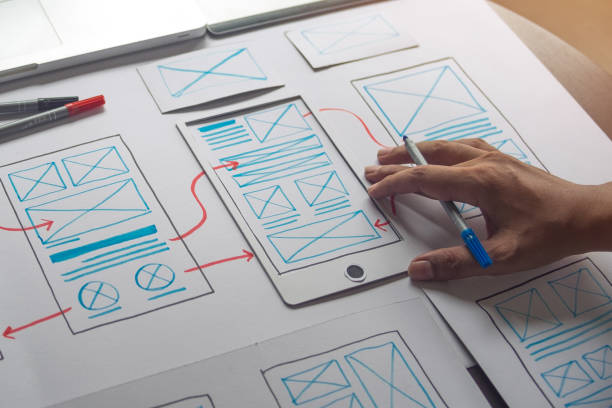
To create a great UI/UX Design, it is essential to use the right tools and techniques. In this section, we will examine some of the most important of these tools and techniques:
Design Tools:
- Figma is a cloud-based user interface design tool that allows designers to work on a project simultaneously.
- Sketch is a vector design tool used to design user interfaces and icons.
- Adobe XD is a user interface design tool that is part of the Adobe Creative Cloud suite.
Prototyping Tools:
- InVision is a prototyping tool that allows designers to create interactive and clickable prototypes.
- Marvel is a simple and easy-to-use prototyping tool.
- Proto.io is a powerful prototyping tool that allows designers to create complex and dynamic prototypes.
Key Techniques:
- Responsive Design is a design technique that allows websites and applications to automatically adapt to the screen size of different devices.
- Mobile-First Design is a design approach in which the design is first done for mobile devices and then adapted for larger devices.
- A/B Testing is a testing technique in which two different versions of a user interface are presented to users and their performance is compared to identify the best version.
- Customer Journey Map is a visual tool that shows all customer touchpoints with a brand throughout the buying journey.
By using these tools and techniques, you can optimize your UI/UX Design and create a better user experience for your customers. Rasaweb Afarin, using the latest tools and techniques, helps you stay one step ahead in competition with other businesses.
🎨 Visual Design Principles in UI/UX Design

Visual design plays an important role in UI/UX Design. An attractive and professional visual UI/UX Design can attract users’ attention, build their trust, and provide them with an enjoyable user experience. In this section, we will examine some of the key principles of visual UI/UX Design:
- Typography Choosing the right font, font size, line spacing, and other typography elements greatly affect the readability and visual appeal of the user interface.
- Color Using appropriate colors can evoke different emotions in users, reflect brand identity, and draw their attention to important elements.
- White Space Using white space (empty space between elements) can help improve readability, reduce clutter, and create a balanced visual design.
- Images and Icons Using high-quality images and icons can help improve comprehension, increase visual appeal, and create a cohesive visual design.
- Balance and Symmetry Creating a visual balance in UI/UX Design can help create a calm and pleasant visual design.
- Contrast Using contrast in color, size, and other visual elements can help draw attention to important elements and create a dynamic visual design.
- Harmony Creating harmony between different visual elements can help create a cohesive and professional visual design.
By following these principles, you can create an attractive and effective visual UI/UX Design that provides a better user experience for your customers. Rasaweb Afarin, with a team of experienced and creative designers, helps you create a unique visual UI/UX Design for your brand.
Do you want your business operations to be done intelligently and automatically? Rasaweb Afarin provides innovative solutions in building custom artificial intelligence agents!
✅ Designing and implementing smart robots
✅ Automating customer support and data analysis
✅ Increasing efficiency and reducing human costs
⚡️ Make your business smart! 09124438174
📱 UI/UX Design for Mobile: Key Tips
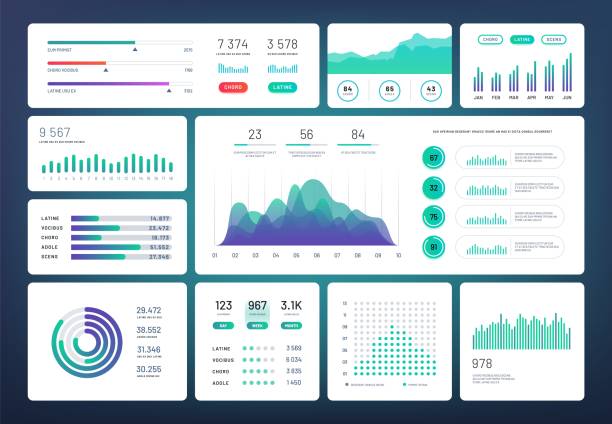
With the ever-increasing use of mobile devices, UI/UX Design for mobile has become particularly important. The UI/UX Design of a mobile website or application should be such that it is easy and enjoyable for users. In this section, we will examine some of the key tips for UI/UX Design for mobile:
- Finger-Friendly Design The user interface should be designed in such a way that users can easily interact with it with their fingers. This includes using large buttons and links, sufficient space between elements, and appropriate touch design.
- Simplification The user interface should be as simple and concise as possible. Avoid clutter and unnecessary information and focus on providing the most important information and functions.
- Easy Navigation Navigation should be clear and easy. Users should be able to easily navigate the application or website and access the information they need.
- Speed The loading speed of the application or website should be fast. Users do not expect to wait a long time for web pages or applications to load.
- Responsive Design UI/UX Design should be responsive and automatically adapt to the screen size of different devices.
Click here to preview your posts with PRO themes ››
By following these tips, you can create a UI/UX Design for mobile that provides a better user experience for your customers. Rasaweb Afarin, with expertise in mobile UI/UX Design, helps you create a unique mobile application or website for your brand.
📈 Continuous Evaluation and Improvement of UI/UX Design
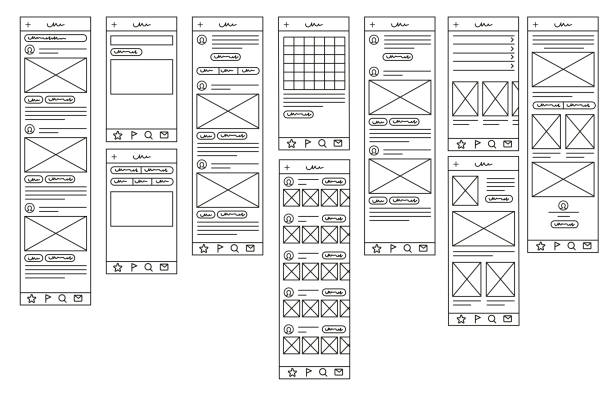
UI/UX Design is an ongoing process and should be evaluated and improved regularly even after implementation. By continuously evaluating and improving, you can ensure that your UI/UX Design is always compatible with user needs and market trends. In this section, we will examine some of the methods for continuously evaluating and improving UI/UX Design:
- Usability Testing Usability testing involves observing users while using the user interface and collecting feedback from them. These tests can help identify usability issues and improve the user experience.
- Data Analysis Data analysis involves collecting and analyzing data related to how users use the user interface. This data can help identify user behavior patterns and improve UI/UX Design.
- User Surveys User surveys involve collecting direct feedback from users about their experience of using the user interface. These surveys can help identify the strengths and weaknesses of UI/UX Design.
- Competitor Analysis Competitor analysis involves reviewing the UI/UX Design of competitors and identifying best practices and market trends. These reviews can help improve your UI/UX Design.
By using these methods, you can continuously evaluate and improve your UI/UX Design and provide a better user experience for your customers. Rasaweb Afarin, by providing UI/UX Design evaluation and improvement services, helps you to always stay ahead of your competitors.
| Evaluation Method | Description | Goal |
|---|---|---|
| Usability Testing | Observe users while using the user interface | Identify usability issues |
| Data Analysis | Collect and analyze user usage data | Identify user behavior patterns |
| User Surveys | Collect direct feedback from users | Identify strengths and weaknesses |
| Competitor Analysis | Review competitor UI/UX design | Identify best practices and trends |
⭐ Successful Examples of UI/UX Design
Reviewing successful examples of UI/UX Design can help you better understand the principles and techniques in this field. In this section, we will examine a few examples of successful UI/UX Design:
- Airbnb The UI/UX Design of Airbnb is very simple and user-friendly. Easy navigation, high-quality images, and clear information provide an enjoyable user experience for users.
- Spotify The UI/UX Design of Spotify is very visual and attractive. Using appropriate colors, readable fonts, and expressive icons creates a great user experience for users.
- Dropbox The UI/UX Design of Dropbox is very simple and efficient. Using white space, clear information, and easy navigation provides a hassle-free user experience for users.
- Medium The UI/UX Design of Medium is very beautiful and minimal. Using strong typography, plenty of white space, and high-quality images creates an enjoyable reading experience for users.
By reviewing these examples, you can get inspiration and find new ideas for your UI/UX Design. Rasaweb Afarin, by continuously reviewing successful examples, is always trying to provide the best and most up-to-date UI/UX Design to its customers.
🔒 Common Challenges in UI/UX Design
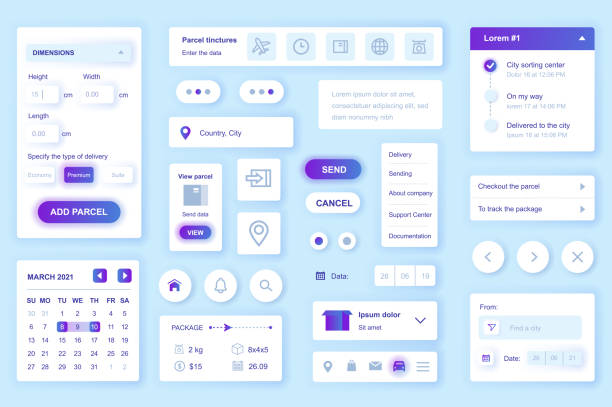
UI/UX Design, despite its great importance, is accompanied by numerous challenges. In this section, we will examine some of the common challenges in UI/UX Design:
- Understanding User Needs One of the biggest challenges in UI/UX Design is accurately understanding the needs and wants of users. For this, extensive research should be done and user feedback should be collected regularly.
- Balancing Beauty and Usability UI/UX Design must be both beautiful and attractive and functional and easy to use. Balancing these two is a big challenge that designers face.
- Compatibility with Different Devices UI/UX Design must be compatible with different devices, including mobile phones, tablets, and desktop computers. This requires the use of responsive design techniques.
- Keeping Up with Market Trends The UI/UX Design market is changing rapidly and designers must always be up to date with the latest trends and techniques.
- Measurement and Evaluation Measuring and evaluating the effectiveness of UI/UX Design can be challenging. For this, appropriate tools and techniques should be used and data should be analyzed accurately.
Click here to preview your posts with PRO themes ››
By understanding these challenges, you can plan to overcome them and create a successful UI/UX Design. Rasaweb Afarin, with its experience and expertise, helps you overcome these challenges and create a unique UI/UX Design for your brand. UI/UX Design greatly helps designing a professional website.
Does your brand need 360-degree marketing? Rasaweb Afarin provides complete and integrated coverage in all marketing channels by running a 360 campaign!
✅ Strong presence on all platforms
✅ Unified and strong brand message
✅ Maximizing advertising efficiency
Have a powerful presence everywhere with us!
🚀 The Future of UI/UX Design

UI/UX Design is evolving rapidly and in the future, we will see dramatic changes in this field. In this section, we will examine some of the key trends that will shape the future of UI/UX Design:
- Artificial Intelligence (AI) Artificial intelligence will be increasingly used in UI/UX Design. Artificial intelligence can help designers better understand user needs, create automated designs, and improve the user experience.
- Virtual Reality (VR) and Augmented Reality (AR) Virtual reality and augmented reality provide new opportunities for UI/UX Design. These technologies can help create immersive and engaging user experiences.
- Voice Design With the increasing use of voice assistants, voice UI/UX Design will become more important. Designers must learn how to create a voice user interface that is easy and natural for users.
- Personalization Users expect to experience personalized experiences. UI/UX Design should be such that it allows users to customize the user interface according to their needs.
- Accessibility Accessibility for all users, including people with disabilities, will become more important. UI/UX Design should be such that it is usable for all users.
By understanding these trends, you can prepare for the future of UI/UX Design and create innovative and engaging user experiences for your customers. Rasaweb Afarin, by following the latest market trends, is always trying to provide the best and most up-to-date UI/UX Design to its customers. For more information about the services offered by Rasaweb Afarin such as website development and advertising campaigns, you can visit our website.
| Question | Answer |
|---|---|
| What is the difference between UI and UX? | UI deals with the appearance and feel of a digital product or service, while UX focuses on the entire user experience of interacting with that product or service. |
| Why is UI/UX design important? | Good UI/UX design can increase customer satisfaction, improve conversion rates, and contribute to business success. |
| What are the steps in the UI/UX design process? | Research and analysis, wireframe and prototype design, visual design, testing and evaluation, implementation and optimization. |
| What tools are available for UI/UX design? | Figma, Sketch, Adobe XD, InVision, Marvel, Proto.io. |
| What are the principles of visual design in UI/UX? | Typography, color, white space, images and icons, balance and symmetry, contrast, harmony. |
| What are the key tips for mobile UI/UX design? | Finger-friendly design, simplification, easy navigation, speed, responsive design. |
| How can UI/UX design be evaluated and improved? | Usability testing, data analysis, user surveys, competitor analysis. |
| What is the future of UI/UX design? | Artificial intelligence, virtual reality and augmented reality, voice design, personalization, accessibility. |
| Can UI/UX design be outsourced? | Yes, entrusting UI/UX design processes to specialized companies such as Rasaweb Afarin can save time and money and significantly improve quality. |
| Does UI/UX design have an impact on SEO? | UI/UX design has a direct impact on website SEO. By designing a principled site and creating a suitable user experience, you can reduce the Bounce Rate and increase the duration of users on the site, which directly affects the site SEO. |
And other services of Rasa Web advertising agency in the field of advertising
• Analysis and improvement of SEO for PDF content
• Designing and running marketing campaigns for new mobile applications
• Consulting and implementing artificial intelligence for analyzing medical data
• Developing a marketing strategy for remote work platforms
• Optimizing the use of Fetch API for SEO
and more than hundreds of other services in the field of internet advertising, advertising consulting and organizational solutions
Internet advertising | Advertising strategy | Advertisement reports
How can we react quickly? Rasaweb Afarin provides the most up-to-date information, enabling quick reaction to changes. ✅ Flexibility in the face of market fluctuations.
✉️ info@idiads.com
📱 09124438174
📞 02126406207
Tehran, Mirdamad Street, next to the Central Bank, South Kazerun Alley, Ramin Alley No. 6




